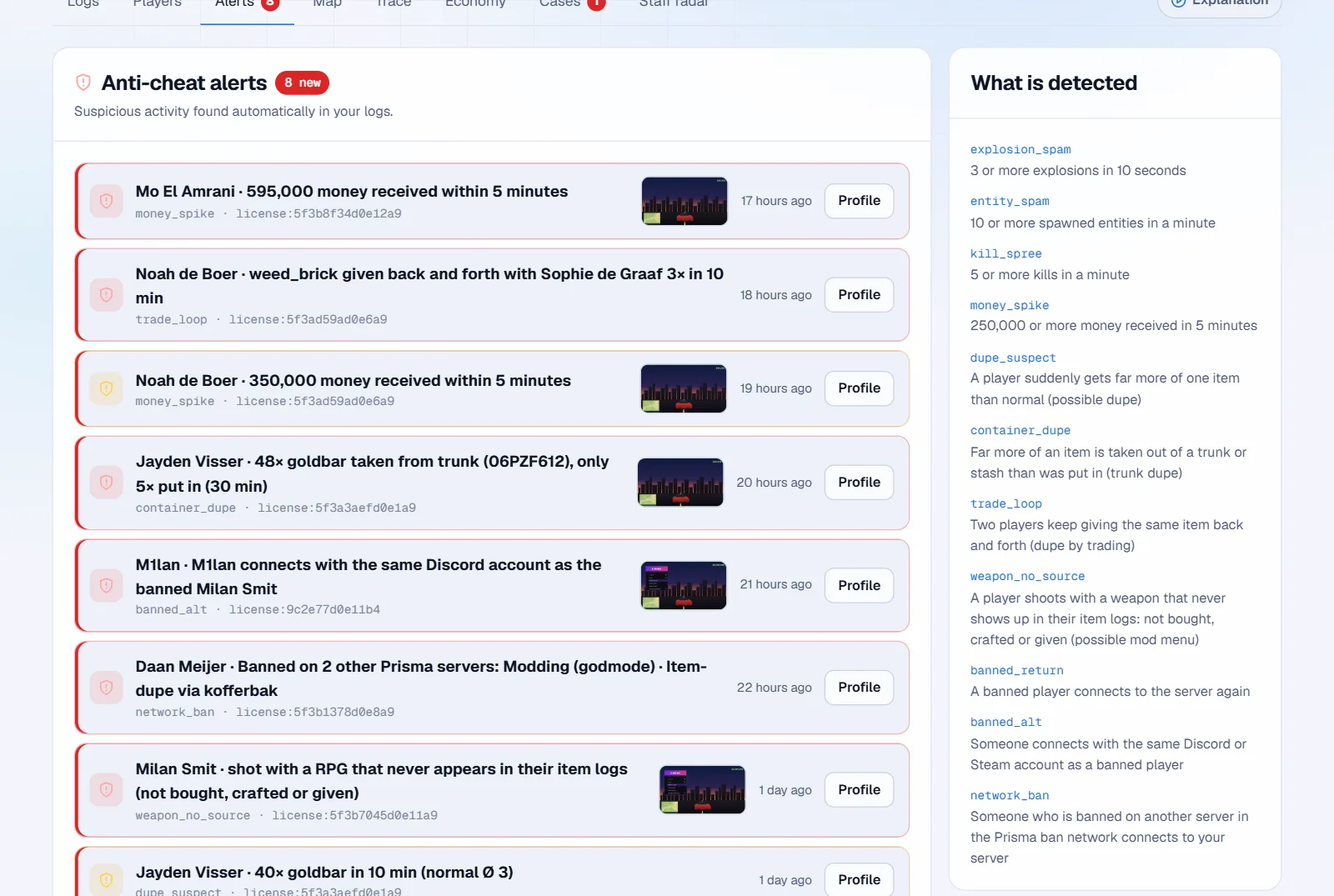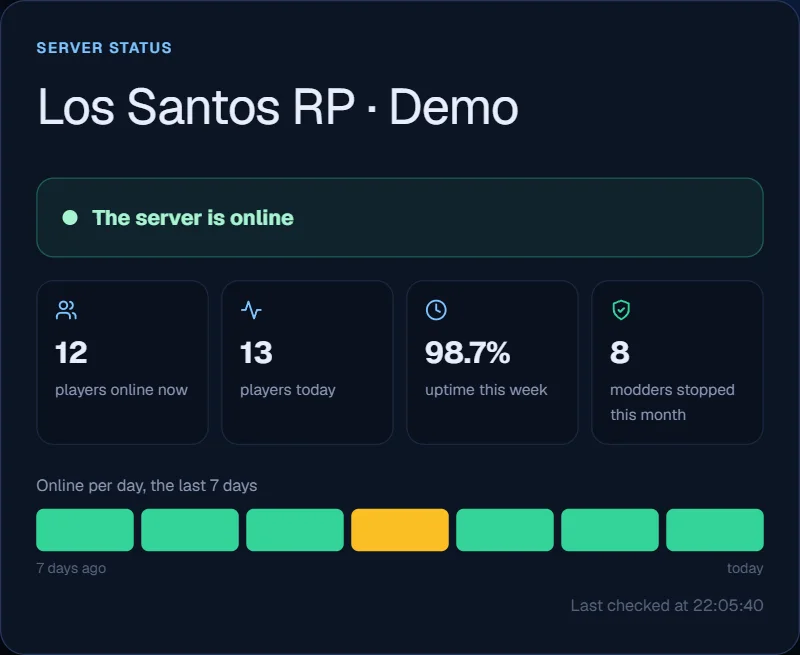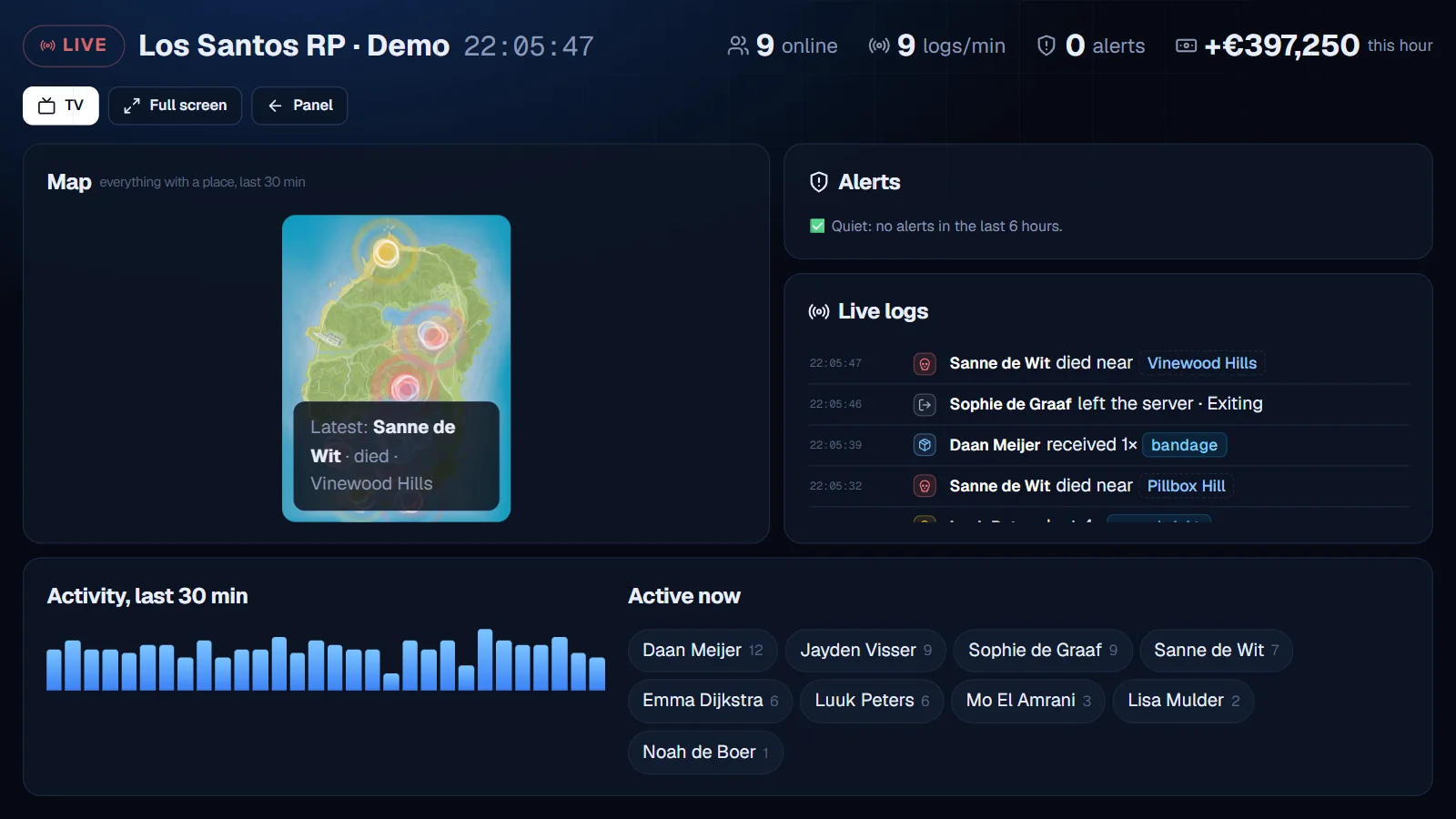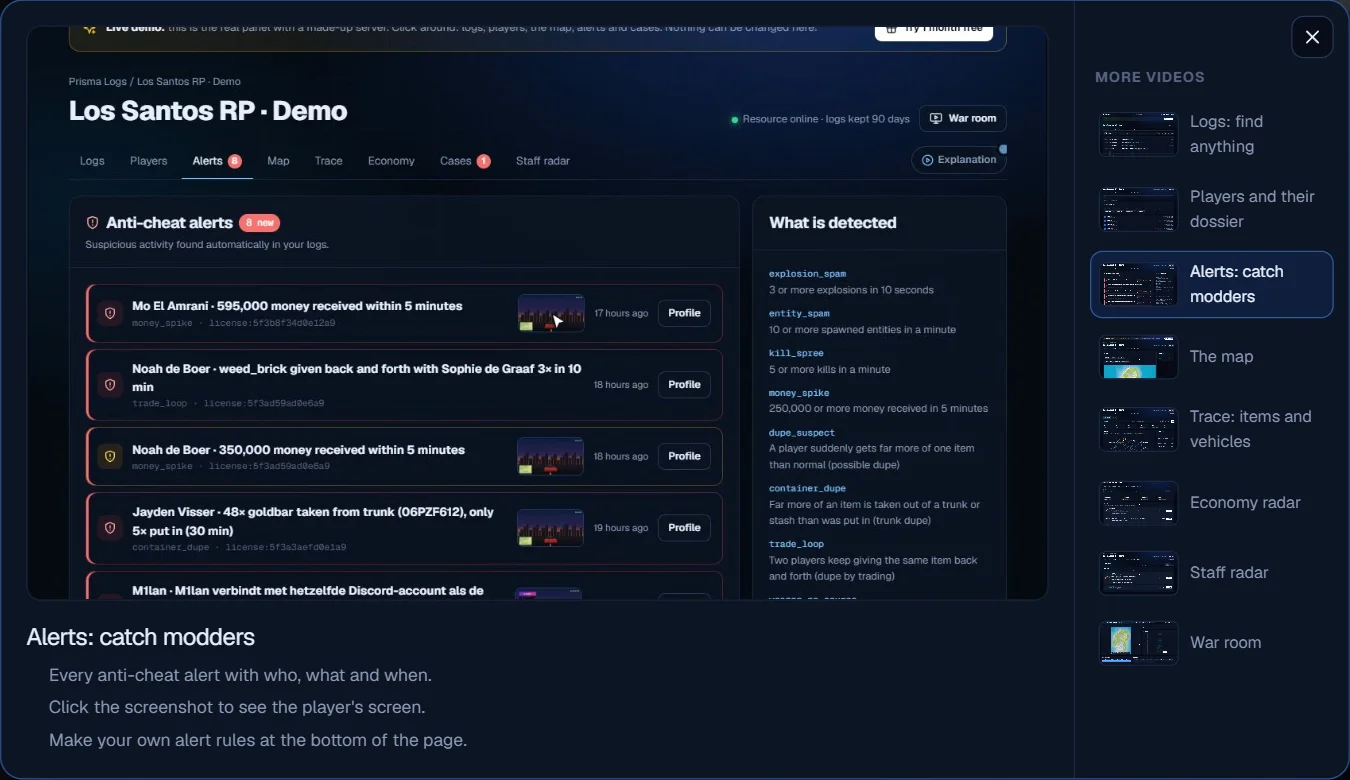
> For the complete documentation index, see [llms.txt](https://prisma-logs.gitbook.io/prisma-logs/llms.txt). Markdown versions of documentation pages are available by appending `.md` to page URLs; this page is available as [Markdown](https://prisma-logs.gitbook.io/prisma-logs/docs/en/help/changelog.md).

# Changelog

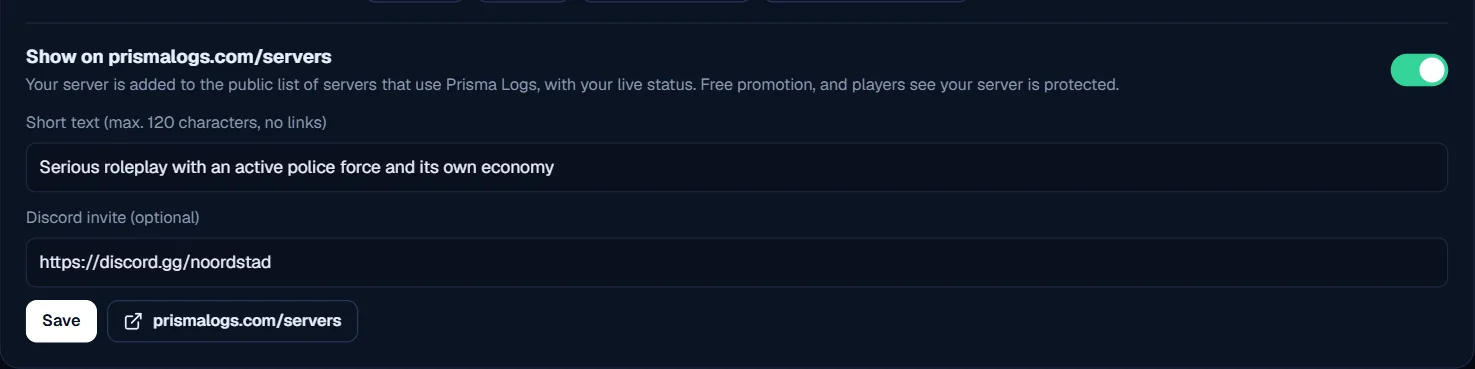
## Free promotion: put your server on prismalogs.com/servers · 2.22

*15 October 2026*

There is a new public page with servers that use Prisma Logs: prismalogs.com/servers. Players looking for a new server see right away that your server is protected.

* **Live status:** online or offline, how many players are on now and how stable your server was this week
* **Your own text and Discord:** a short description of your server and a button to your Discord
* **Only if you want:** your server is only listed once you turn it on yourself
* **How:** go to Settings, turn on your public status page and choose *Show on prismalogs.com/servers*

Servers that are online and have the most players are at the top.

<figure><img src="https://prismalogs.com/updates/2.22/listing-en.webp" alt="Put your server on the list in Settings"><figcaption><p>Put your server on the list in Settings</p></figcaption></figure>

## Join gate: banned players can't get back in (resource 2.4.0) · 2.21

*15 October 2026*

A modder you ban often just makes a new account. That doesn't work anymore.

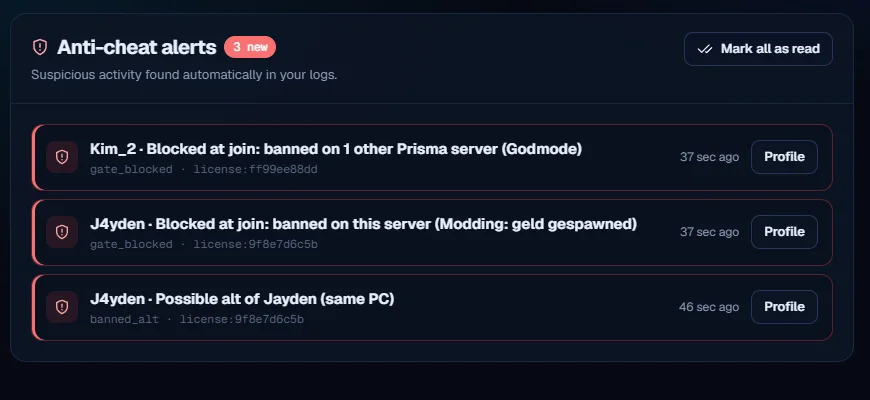
* **Recognises the same PC:** Prisma Logs remembers every player's hardware. If a banned player comes back with a new Rockstar, Steam or Discord account, you see it right away: *Possible alt of Jayden (same PC)*
* **Join gate:** turn it on in Settings and banned players are kept out while they connect, before they are on your server. Also when they use another account on the same PC
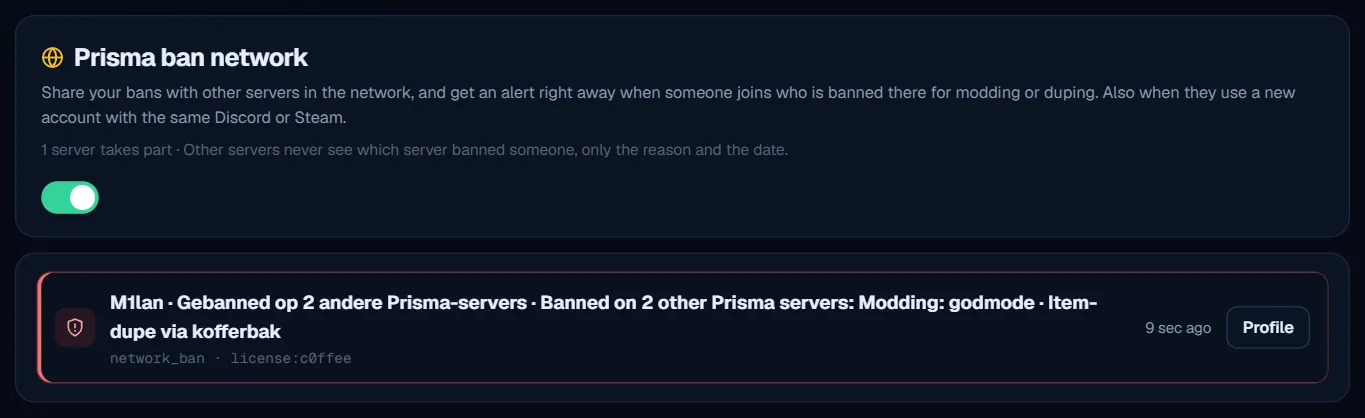
* **Ban network at the door:** choose whether players with bans on other Prisma servers stay out too, from 1, 2 or 3 bans
* **No risk:** a player who is kept out doesn't see how they were recognised. If the panel is briefly unreachable, everyone gets in as usual
* **In the dossier:** *Possibly the same player* now also shows *same PC*

Download the new resource in Settings and replace the folder. See it in the demo: the dossier of M1lan.

🎬 Watch the video: <https://prismalogs.com/updates/2.21/gate-en.webm>

<figure><img src="https://prismalogs.com/updates/2.21/alerts-en.webp" alt="A new account on the same PC, and kept out at join"><figcaption><p>A new account on the same PC, and kept out at join</p></figcaption></figure>

## Staff radar sends you a private message · 2.20

*15 October 2026*

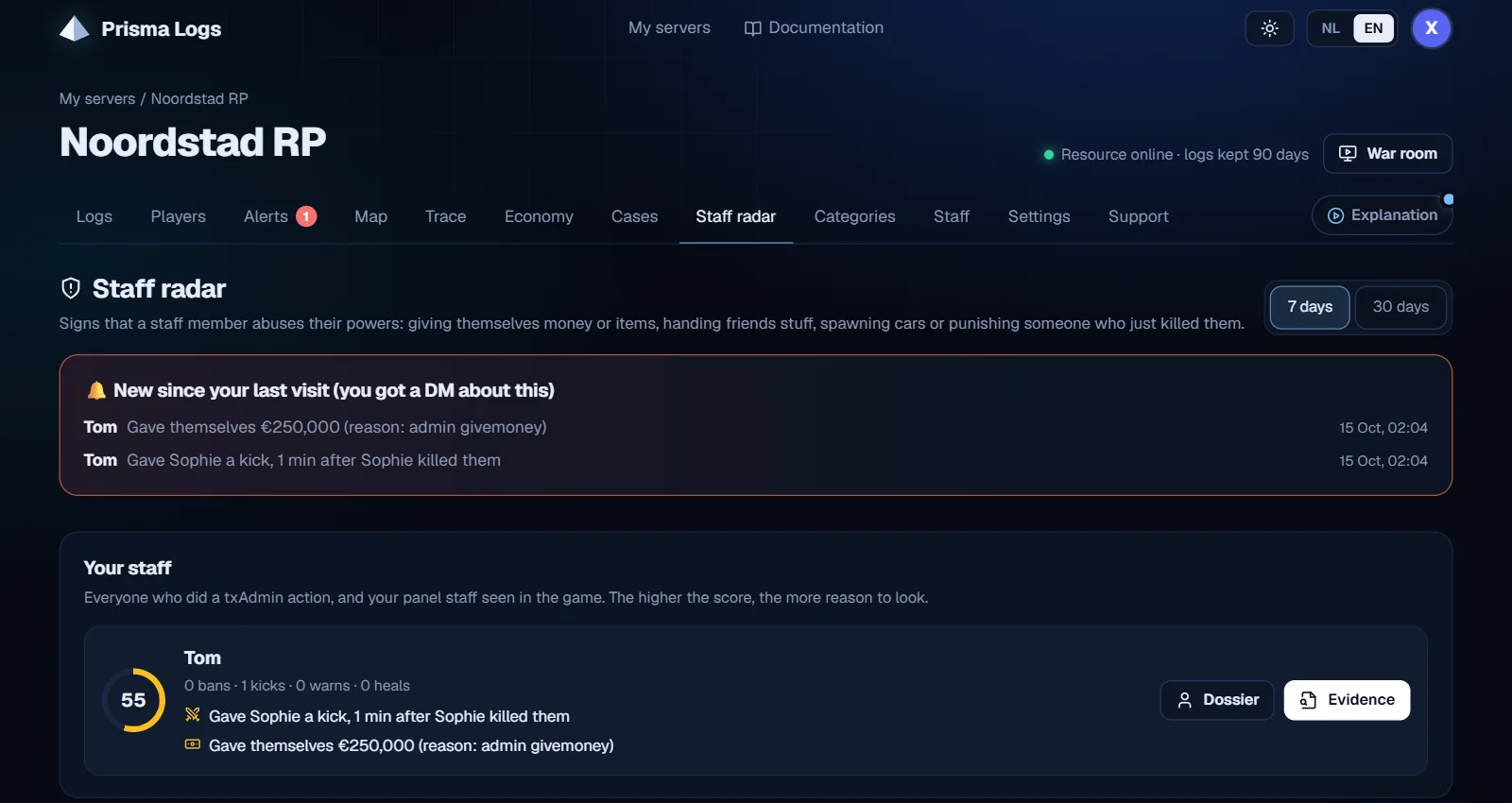
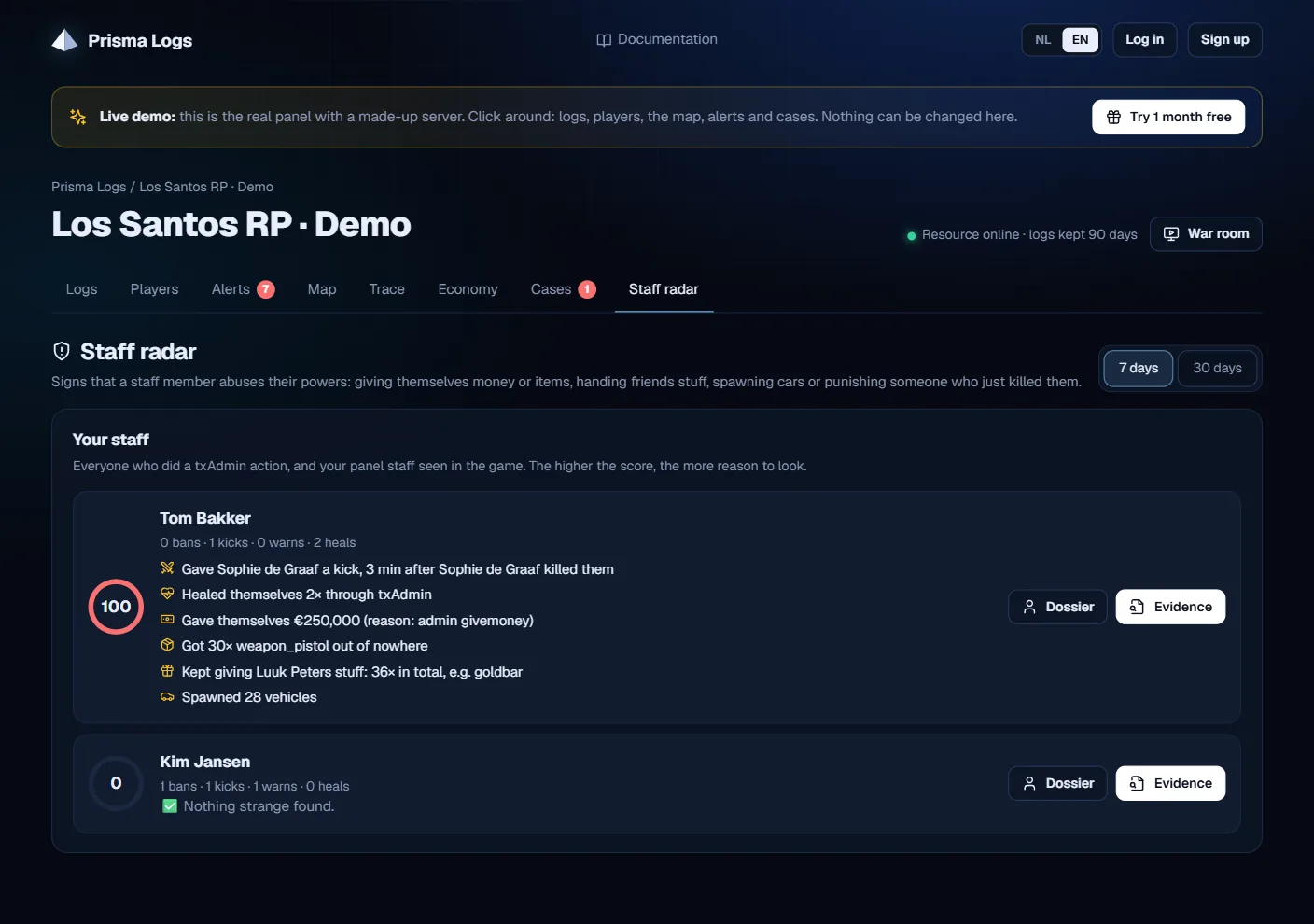
The Staff radar already saw when someone on your staff abuses their powers. Now you don't have to check it yourself: you hear about it right away.

* **Private DM in Discord:** a staff member gives themselves money or items, keeps handing a friend stuff, or punishes someone right after that player killed them? Then you as the owner get a DM with buttons to the Staff radar and the dossier
* **Only for you:** your staff never see these alerts, not in the panel and not in Discord
* **Counter on the tab:** the Staff radar shows how many new signals there are, and at the top what is new since your last visit
* **No spam:** the same incident is only reported once, and the radar checks at most once an hour

Always check the logs before you act. Works with txAdmin, ESX and QBCore, nothing to set up.

<figure><img src="https://prismalogs.com/updates/2.20/staffradar-en.webp" alt="New signals at the top of the Staff radar"><figcaption><p>New signals at the top of the Staff radar</p></figcaption></figure>

## Wrong IP? Your panel tells you and fixes it (resource 2.3.1) · 2.19

*14 October 2026*

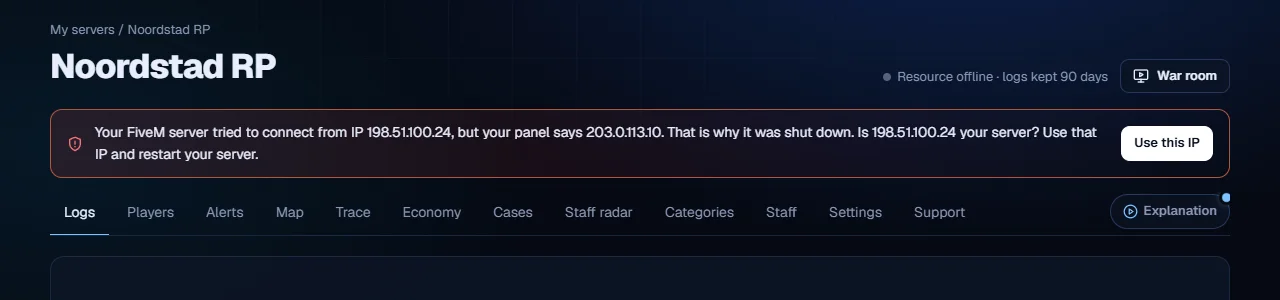
If a server starts with a wrong license key or from another IP than the one in your panel, Prisma Logs now really stops that server. That way nobody can use your license on another server.

* **The server shuts down:** the console says exactly why, for example which IP tried to connect. If shutting down doesn't work, nobody can join until it's fixed
* **No panic when we're down:** if prismalogs.com is briefly unreachable, your server just stays on and the resource tries again every minute
* **Your panel sees it right away:** at the top it shows which IP your server tried from. The **Use this IP** button fixes it in one click. Then restart your server

Download the new resource in Settings and replace the folder.

🎬 Watch the video: <https://prismalogs.com/updates/2.19/wrongip-en.webm>

<figure><img src="https://prismalogs.com/updates/2.19/wrongip-en.webp" alt="Your panel shows which IP your server tried from"><figcaption><p>Your panel shows which IP your server tried from</p></figcaption></figure>

## Better protected against modders (resource 2.3.0) · 2.18

*14 October 2026*

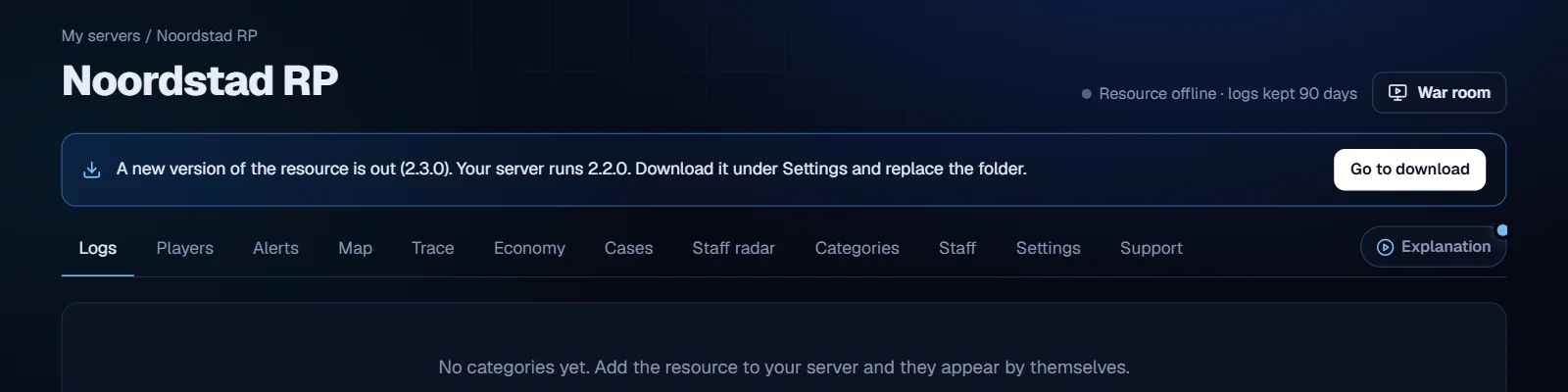
Everything works the way you're used to, but modders can bother Prisma Logs a lot less now. Download the new resource in Settings and replace the folder.

* **Logging can't get stuck anymore:** a modder could block sending logs with one giant fake message. Overly long texts are now shortened and oversized batches are split
* **Spamming doesn't help anymore:** every player has a generous limit per minute, so a modder can no longer push your real logs out. Normal players won't notice anything
* **No more fake kills:** a modder could pretend an innocent player kept killing them. The killer now has to be online and the same kill only counts once
* **Script scan per player:** one player spamming an action no longer hides everyone else's actions
* **Faster when busy:** when many logs are waiting, they are sent right after each other

The website itself is better protected against abuse too. Your panel shows when you run an old resource.

<figure><img src="https://prismalogs.com/updates/2.18/resource-en.webp" alt="Your panel shows that a new resource is out"><figcaption><p>Your panel shows that a new resource is out</p></figcaption></figure>

## Light theme, a status page for your players and TV mode · 2.17

*14 October 2026*

Three things that make your panel nicer, for you and your players.

* **Light theme:** switch between light and dark with the sun/moon button at the top. Your choice is remembered
* **Alerts in your language:** anti-cheat alerts are now fully in English or Dutch, also in the dossier and the war room
* **Public status page:** turn it on in Settings and your players see whether the server is online, how many people play and how stable it was this week. No names. With a badge for your website or Discord
* **TV mode in the war room:** with the TV button everything is big enough for a screen across the room

See the demo's status page: prismalogs.com/s/demo.

<figure><img src="https://prismalogs.com/updates/2.17/light-en.webp" alt="The light theme, with alerts in your language"><figcaption><p>The light theme, with alerts in your language</p></figcaption></figure>

<figure><img src="https://prismalogs.com/updates/2.17/status-en.webp" alt="The public status page for your players"><figcaption><p>The public status page for your players</p></figcaption></figure>

<figure><img src="https://prismalogs.com/updates/2.17/tv-en.webp" alt="The war room in TV mode"><figcaption><p>The war room in TV mode</p></figcaption></figure>

## Explanation videos in your panel · 2.16

*14 October 2026*

See in a few seconds what each part of your panel can do.

* **Explanation button:** next to the tabs. You get a short video of the tab you are on, with three tips
* **8 videos:** logs, players, alerts, map, trace, economy, staff radar and the war room
* **For your staff too:** new staff members quickly see where everything is
* **In your language:** Dutch and English

A blue dot shows which explanation you haven't watched yet. Try it in the demo too: prismalogs.com/demo.

<figure><img src="https://prismalogs.com/updates/2.16/tutorial-en.webp" alt="The explanation window: video, tips and all other videos"><figcaption><p>The explanation window: video, tips and all other videos</p></figcaption></figure>

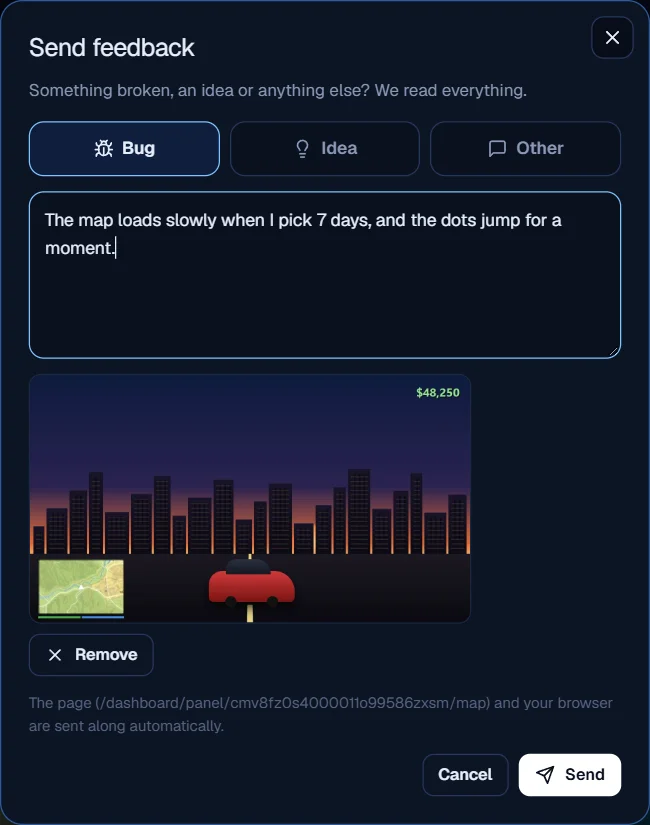
## Send feedback from your panel · 2.15

*14 October 2026*

Something broken or a good idea? Let us know in two clicks.

* **Feedback button:** at the bottom right of your panel. Pick Bug, Idea or Other and type what's up
* **With a screenshot:** paste one with Ctrl+V or choose a file
* **Nothing to explain:** the page you were on and your browser are sent along automatically
* **You hear back:** when your report is fixed or your idea is built, you get a message in Discord

We read everything, and we pick up bugs fast.

<figure><img src="https://prismalogs.com/updates/2.15/form-en.webp" alt="Feedback with a screenshot, the page is sent along by itself"><figcaption><p>Feedback with a screenshot, the page is sent along by itself</p></figcaption></figure>

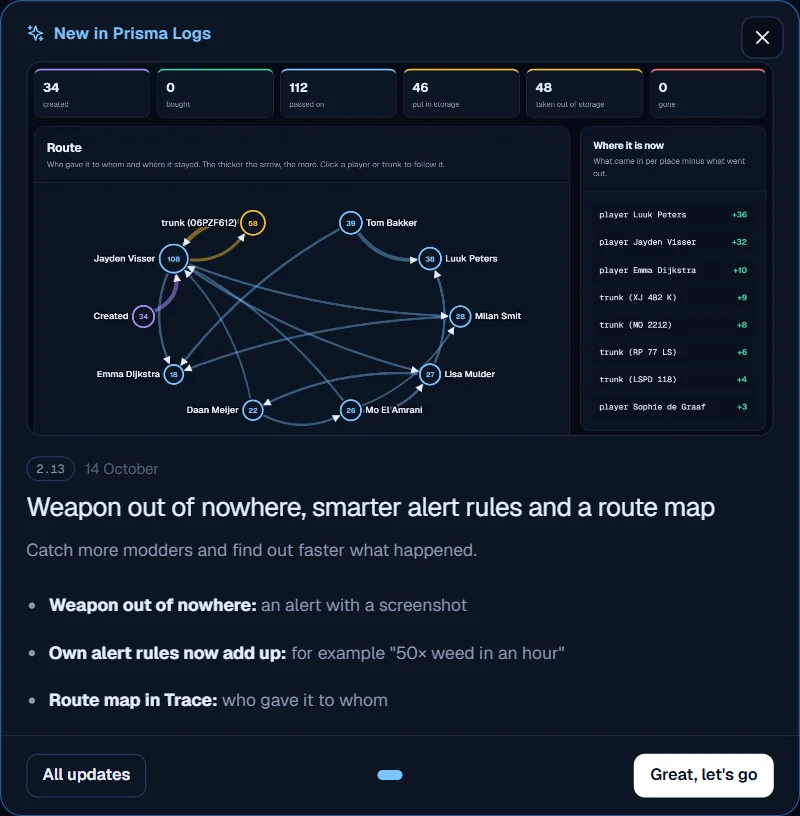
## What's new window in your panel and the beta program · 2.14

*14 October 2026*

You won't miss a new feature again.

* **New in Prisma Logs:** open your panel and you immediately see what was added since your last visit, with a screenshot. Close it once and it's gone
* **Beta testers:** try new features first. You get every feature for free, your own channel in our Discord and a badge in your panel. In return we ask for honest feedback

Interested in the beta? Send us a message in Discord.

<figure><img src="https://prismalogs.com/updates/2.14/whatsnew-en.webp" alt="What&#x27;s new, right when you open your panel"><figcaption><p>What's new, right when you open your panel</p></figcaption></figure>

<figure><img src="https://prismalogs.com/updates/2.14/badge-en.webp" alt="Beta testers get a badge in their panel"><figcaption><p>Beta testers get a badge in their panel</p></figcaption></figure>

## Weapon out of nowhere, smarter alert rules and a route map · 2.13

*14 October 2026*

Catch more modders and find out faster what happened.

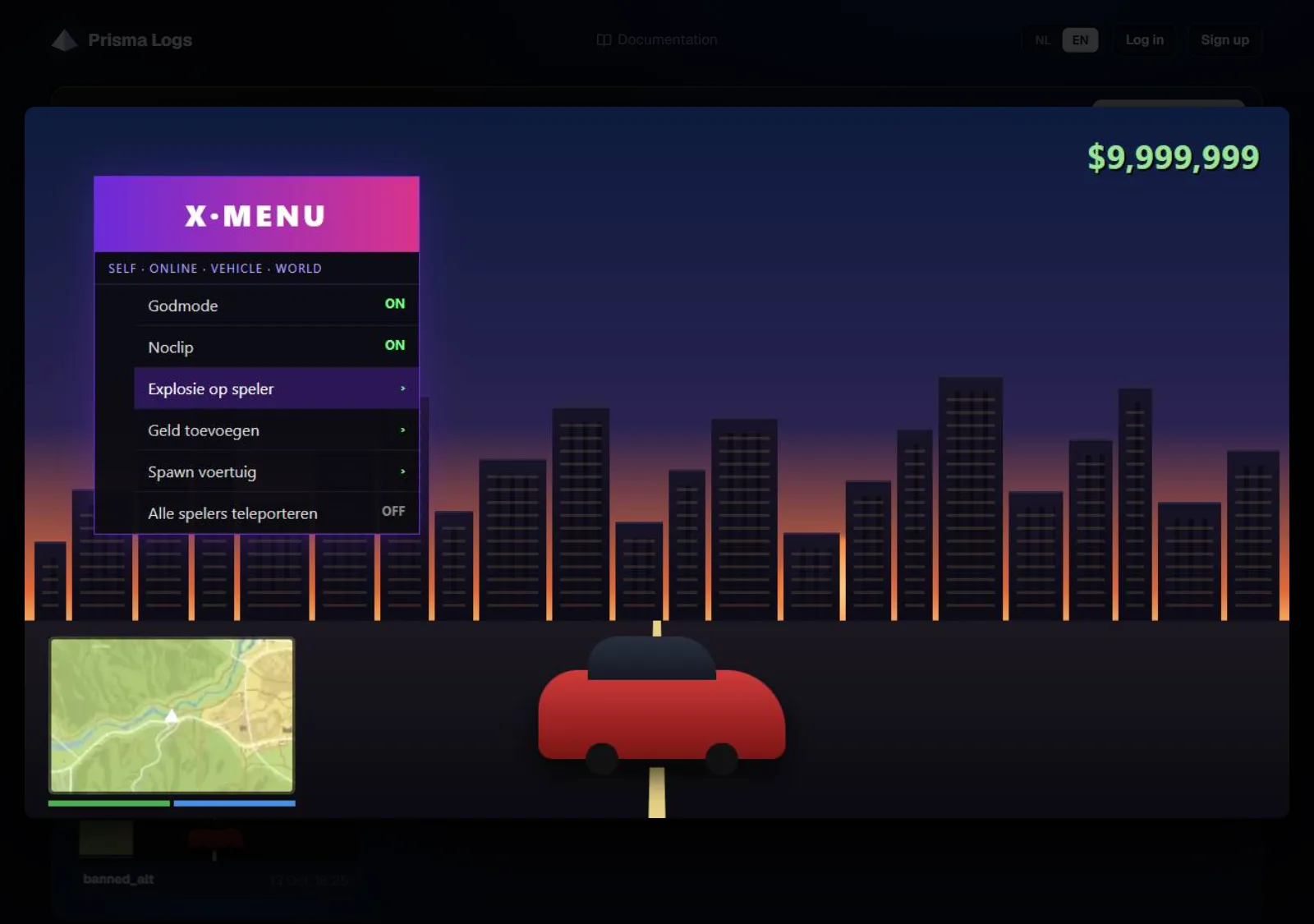
* **Weapon out of nowhere:** someone shoots with a weapon that was never bought, crafted or given? You get an alert with a screenshot of their screen. Works when weapons are items (ox\_inventory, qb-inventory)
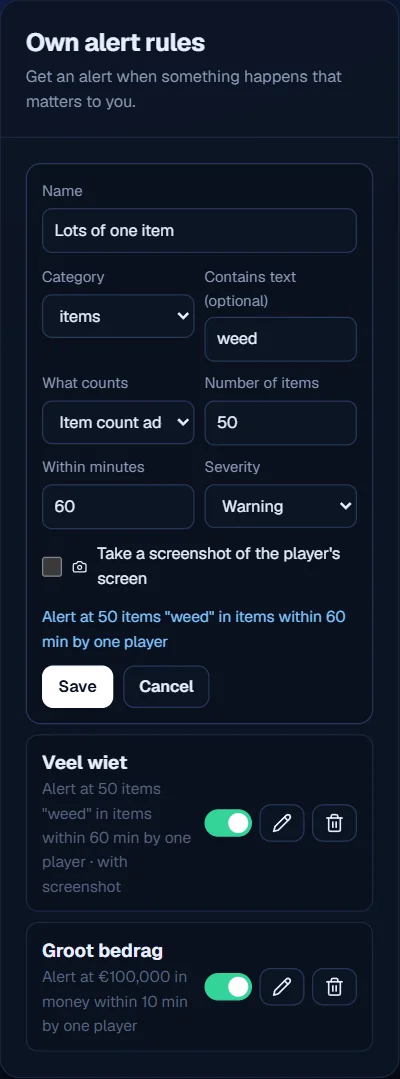
* **Own alert rules now add up:** for example "50× weed in an hour" or "€100,000 in 10 minutes". With a checkbox for a screenshot and four examples to start from
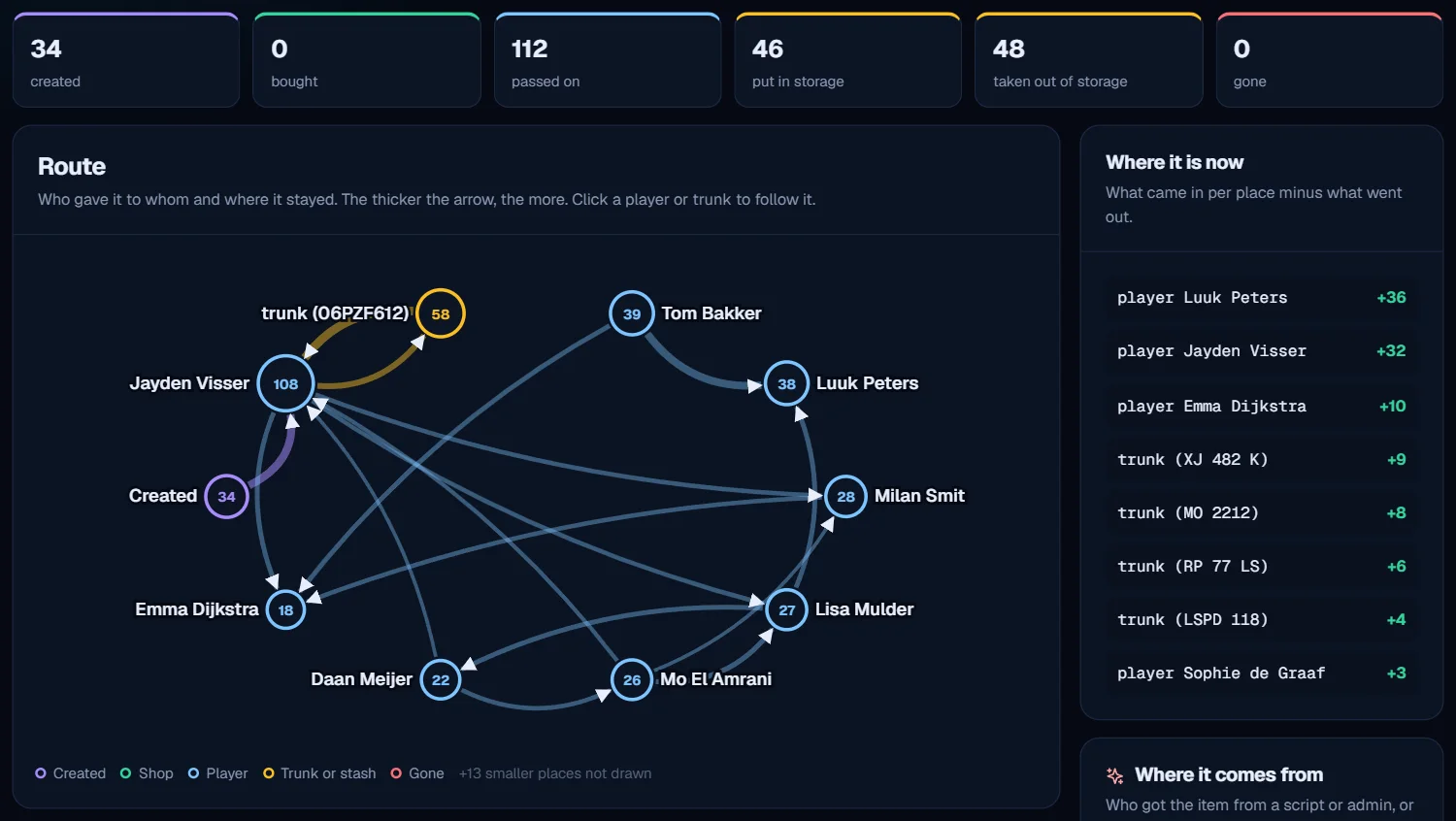
* **Route map in Trace:** see in one picture who gave an item to whom and in which trunk it stayed, plus who makes the item appear
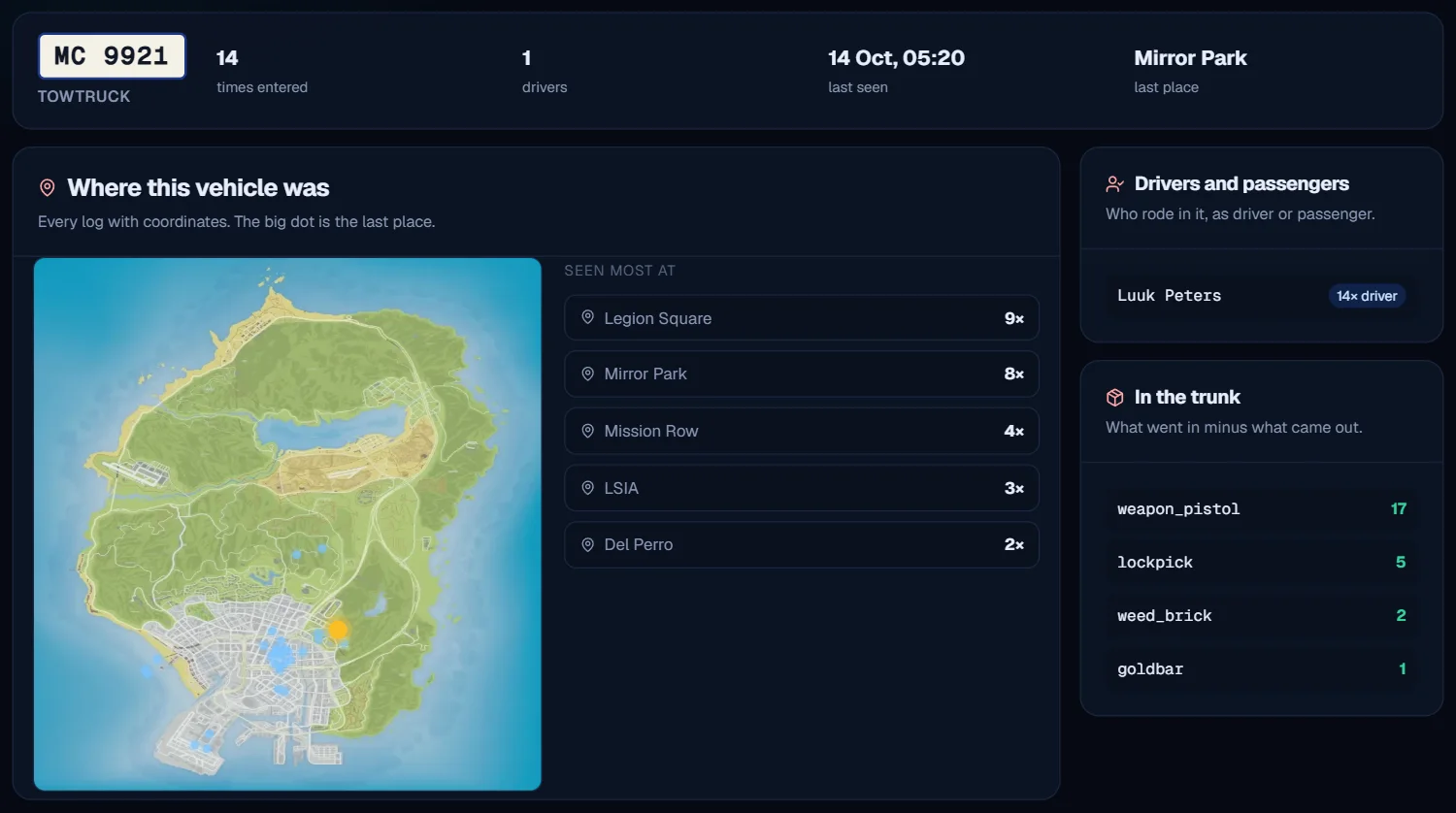
* **Plate history renewed:** a map of where the car was, drivers and passengers, and only the logs that are really about that plate

See it in the demo: prismalogs.com/demo.

<figure><img src="https://prismalogs.com/updates/2.13/weapon-en.webp" alt="Weapon out of nowhere: with a screenshot of the screen (demo)"><figcaption><p>Weapon out of nowhere: with a screenshot of the screen (demo)</p></figcaption></figure>

<figure><img src="https://prismalogs.com/updates/2.13/route-en.webp" alt="The route map: who gave it to whom"><figcaption><p>The route map: who gave it to whom</p></figcaption></figure>

<figure><img src="https://prismalogs.com/updates/2.13/vehicle-en.webp" alt="Plate history with a map"><figcaption><p>Plate history with a map</p></figcaption></figure>

<figure><img src="https://prismalogs.com/updates/2.13/rules-en.webp" alt="Own alert rules that add up items or money"><figcaption><p>Own alert rules that add up items or money</p></figcaption></figure>

## Get started: your checklist in the panel · 2.12

*14 October 2026*

Get everything out of Prisma Logs without searching for what you are missing.

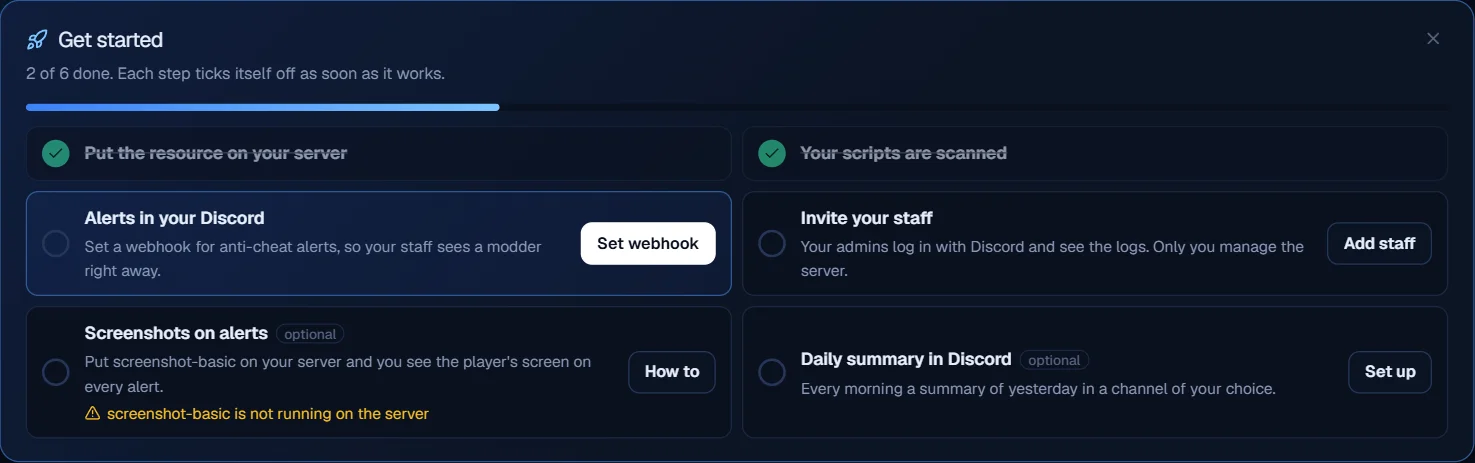
* **Checklist on top of your logs:** six steps, from installing the resource to inviting your staff and alerts in Discord
* **Ticks itself off:** as soon as a step really works, it is marked done. Nothing to tick by hand
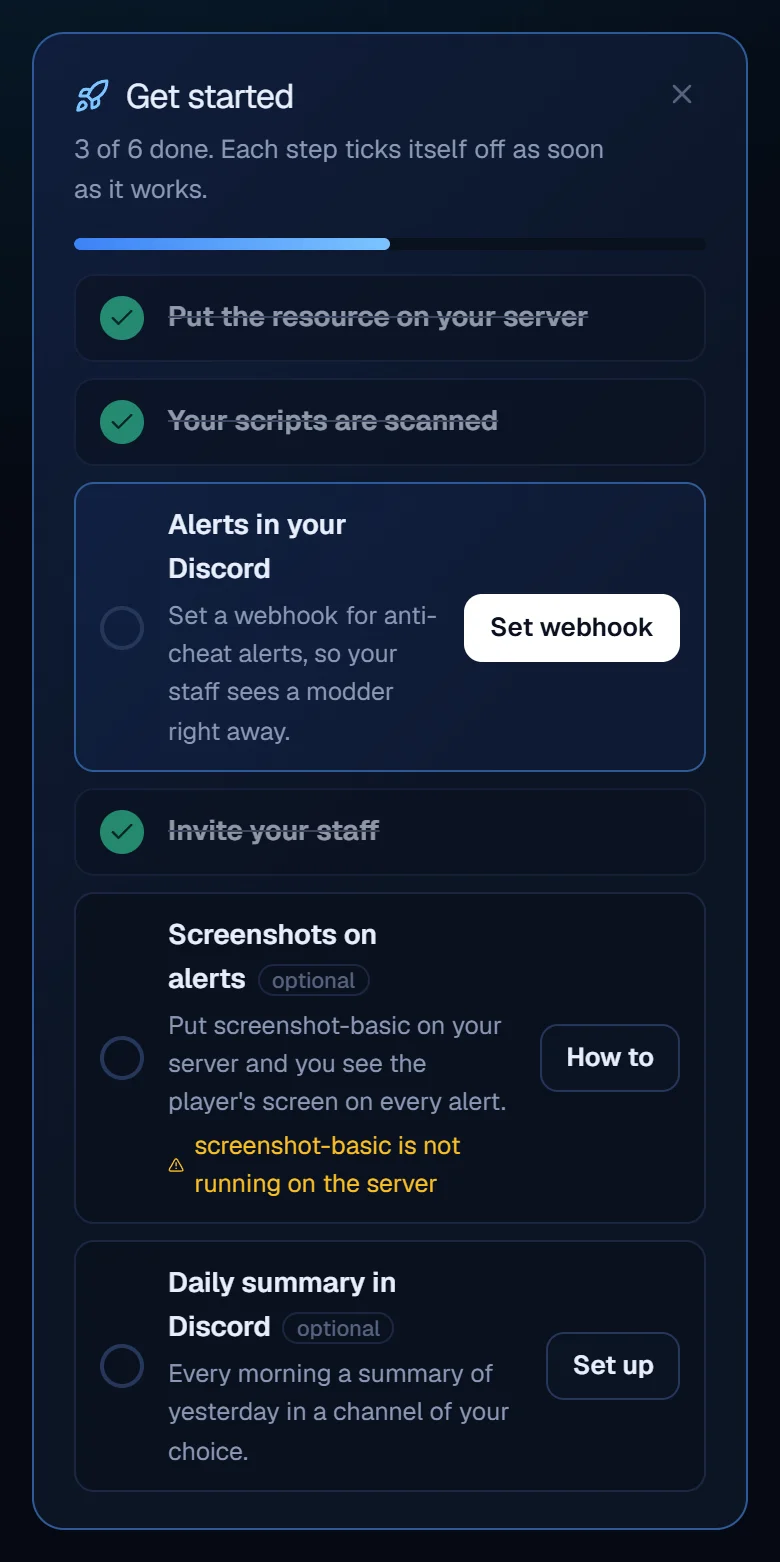
* **Sees what goes wrong:** if the script scan fails or screenshot-basic isn't running, it says so right there
* **One click to the right place:** every step has a button to the page where you set it up
* **Gone when you're done:** everything set, then it disappears by itself. Rather not see it? Close it and bring it back under Settings

Only you as the owner see the checklist.

<figure><img src="https://prismalogs.com/updates/2.12/checklist-en.webp" alt="The checklist on top of your logs: every step ticks itself off"><figcaption><p>The checklist on top of your logs: every step ticks itself off</p></figcaption></figure>

<figure><img src="https://prismalogs.com/updates/2.12/phone-en.webp" alt="On your phone too, with what goes wrong in orange"><figcaption><p>On your phone too, with what goes wrong in orange</p></figcaption></figure>

## Screenshot of the screen on an anti-cheat alert · 2.11

*14 October 2026*

The strongest evidence against modders: you now see what was on their screen.

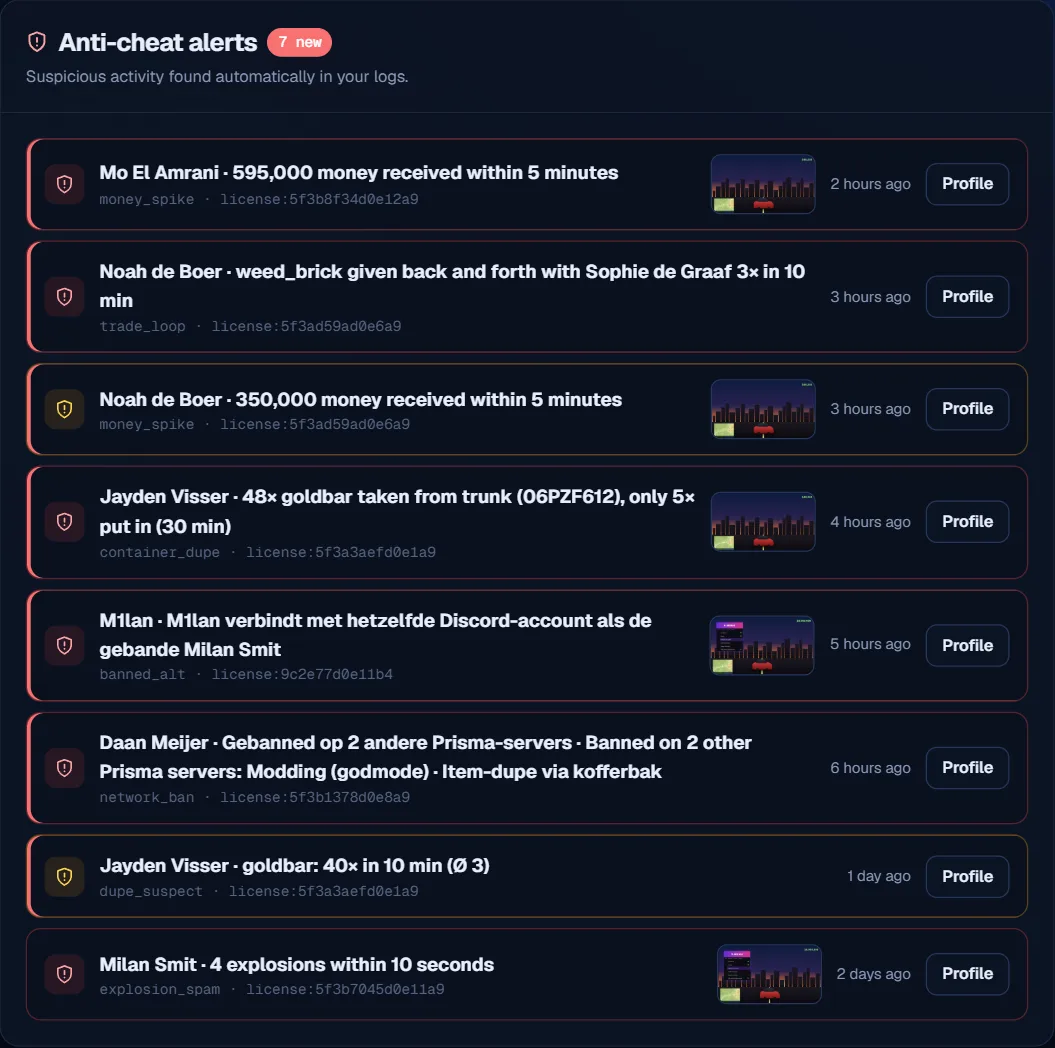
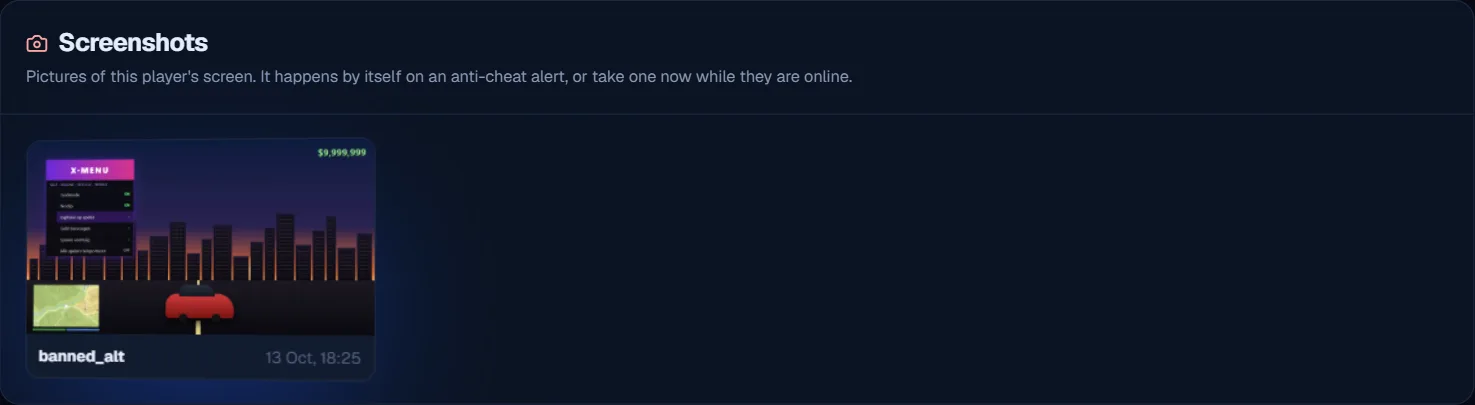
* **Automatic on an alert:** on explosion spam, a money spike, a dupe, a banned player or the ban network, Prisma Logs takes a screenshot of that player's screen right away. So you see whether a mod menu was open
* **Shown everywhere:** with the alert, in the player's dossier and as an image in your alerts channel in Discord
* **Take one yourself:** the dossier has a Take screenshot button, for every player who is online
* **On or off:** in Settings, under Screenshot on an alert. Screenshots are kept for 30 days and only your staff can see them

**Important:** download the resource again (version 2.2.0) and make sure screenshot-basic is on your server. See it in the demo: prismalogs.com/demo.

<figure><img src="https://prismalogs.com/updates/2.11/screenshot-en.webp" alt="New: the player&#x27;s screen at the moment of the alert (demo image)"><figcaption><p>New: the player's screen at the moment of the alert (demo image)</p></figcaption></figure>

<figure><img src="https://prismalogs.com/updates/2.11/alerts-en.webp" alt="Every alert gets a screenshot"><figcaption><p>Every alert gets a screenshot</p></figcaption></figure>

<figure><img src="https://prismalogs.com/updates/2.11/dossier-en.webp" alt="All screenshots in the dossier, plus the Take screenshot button"><figcaption><p>All screenshots in the dossier, plus the Take screenshot button</p></figcaption></figure>

## Economy radar, staff radar, war room and the ban network · 2.10

*13 October 2026*

Four new ways to catch dupers, modders and abuse:

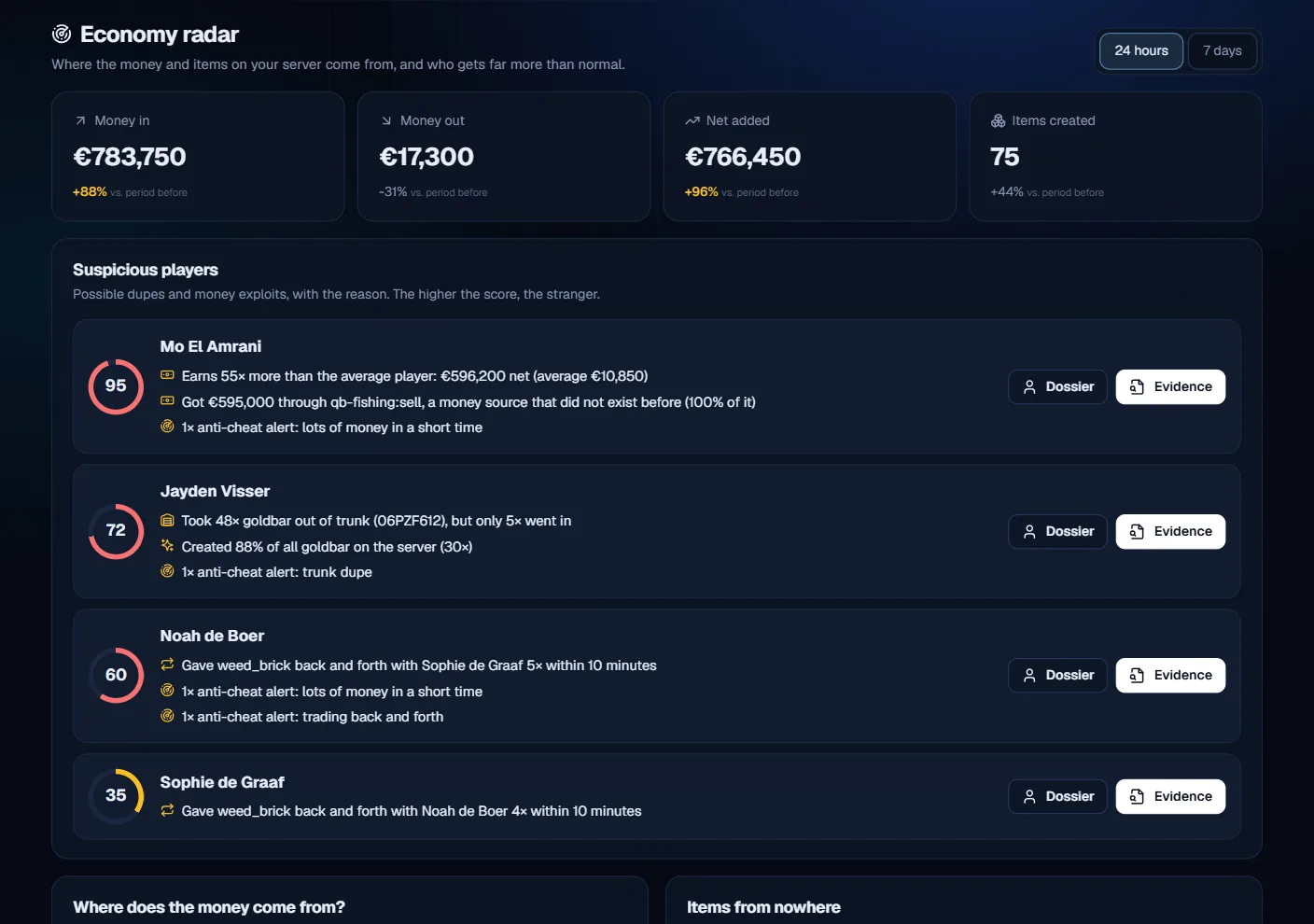
* **Economy radar (new Economy tab):** see where the money and items on your server come from. Suspicious players get a score with the reason, for example a new money source one player gets everything from, a trunk dupe or items that keep going back and forth. One click opens the evidence in the logs
* **New anti-cheat alerts:** trunk/stash dupe (far more taken out than put in) and two players trading back and forth, also in Discord and on your phone
* **Staff radar (owner only):** see whether a staff member abuses their powers: giving themselves money or items, handing friends stuff, spawning far more cars than normal or punishing someone who just killed them
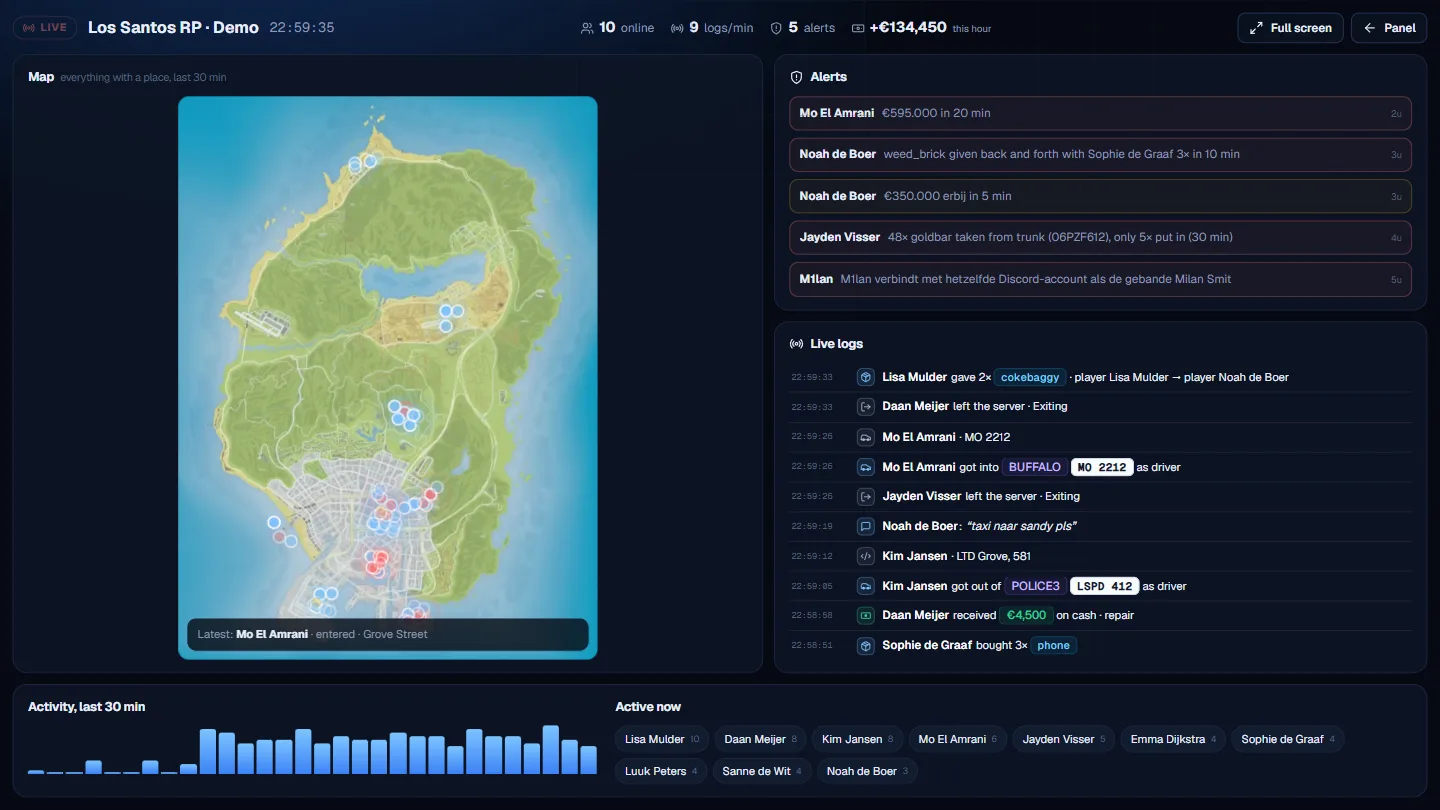
* **War room:** a live screen for your second monitor with the map, alerts, live logs, activity and who is active right now. The screen flashes red on a new alert
* **Prisma ban network:** turn it on in Settings. When someone joins who is banned on another server in the network, you get an alert right away, even when they use a new account with the same Discord or Steam. Other servers never see which server banned someone

Try it in the demo: prismalogs.com/demo. You don't need to download the resource again.

<figure><img src="https://prismalogs.com/updates/2.10/economy-en.webp" alt="New: the economy radar with suspicious players and the reason"><figcaption><p>New: the economy radar with suspicious players and the reason</p></figcaption></figure>

<figure><img src="https://prismalogs.com/updates/2.10/warroom-en.webp" alt="New: the war room for your second monitor"><figcaption><p>New: the war room for your second monitor</p></figcaption></figure>

<figure><img src="https://prismalogs.com/updates/2.10/staff-en.webp" alt="New: the staff radar shows who abuses their powers"><figcaption><p>New: the staff radar shows who abuses their powers</p></figcaption></figure>

<figure><img src="https://prismalogs.com/updates/2.10/network-en.webp" alt="New: the Prisma ban network and the alert you get"><figcaption><p>New: the Prisma ban network and the alert you get</p></figcaption></figure>

## Prisma Assistant in tickets and reviews in Discord · 2.9

*13 October 2026*

Faster help in support, and customers can now leave a review:

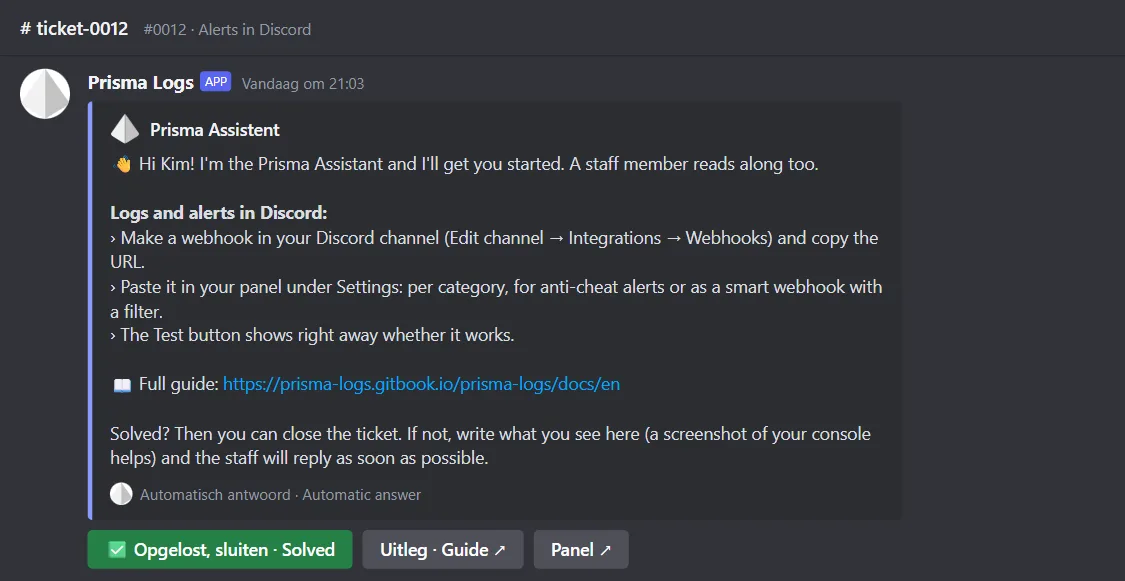
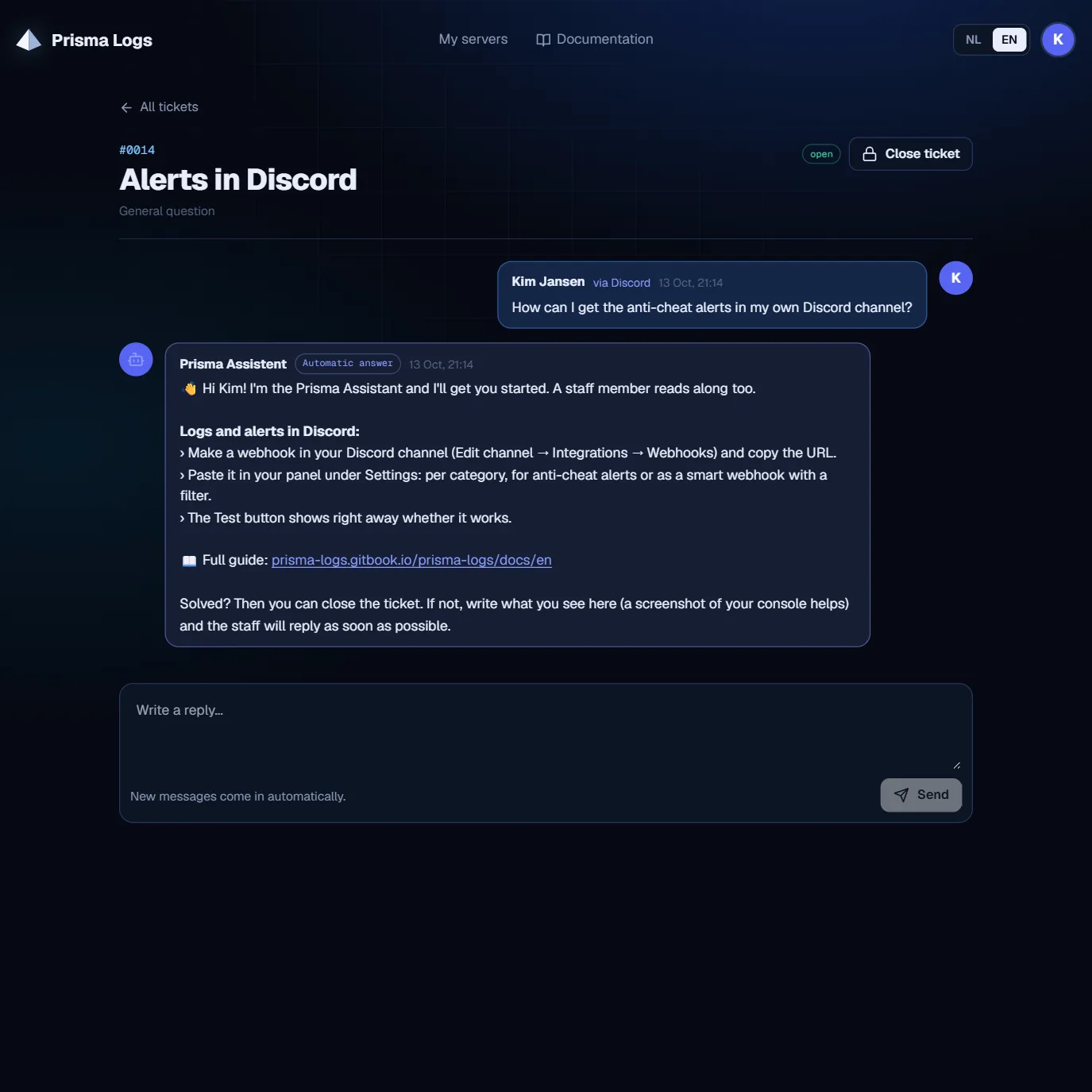
* **Prisma Assistant:** every new ticket gets a first answer right away, in the language of the question. Also when the ticket comes in through the website
* **Server check:** the assistant looks at your server straight away. Has your license expired? Does your server call in from another IP than the one in your panel? Is it offline? Are you running an old version? Are no logs coming in?
* **The right steps:** for installation, license and payment, webhooks, staff, how long logs are kept, scripts and speed
* **Solved button:** in Discord you close the ticket in one click. The staff still reads along
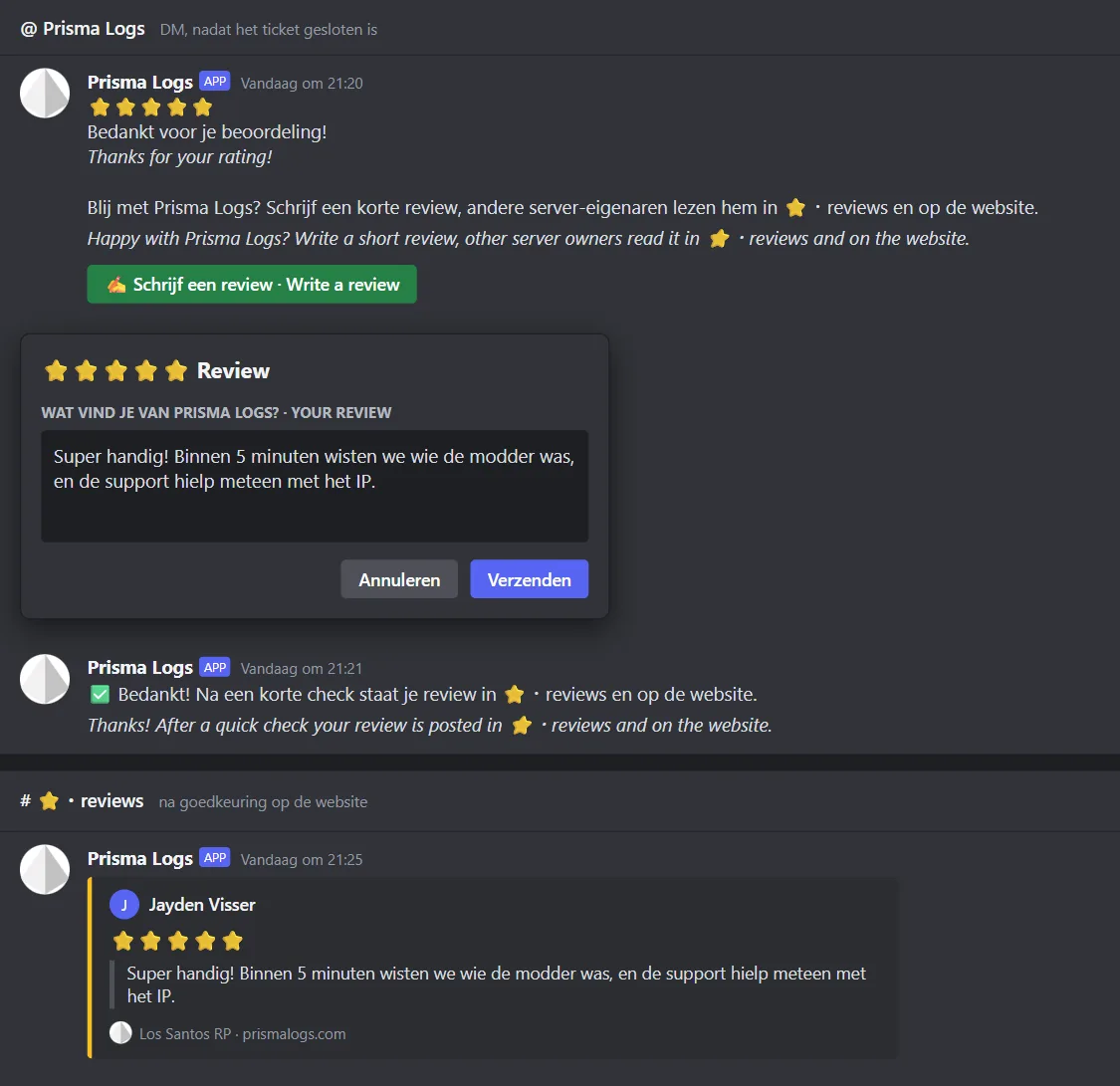
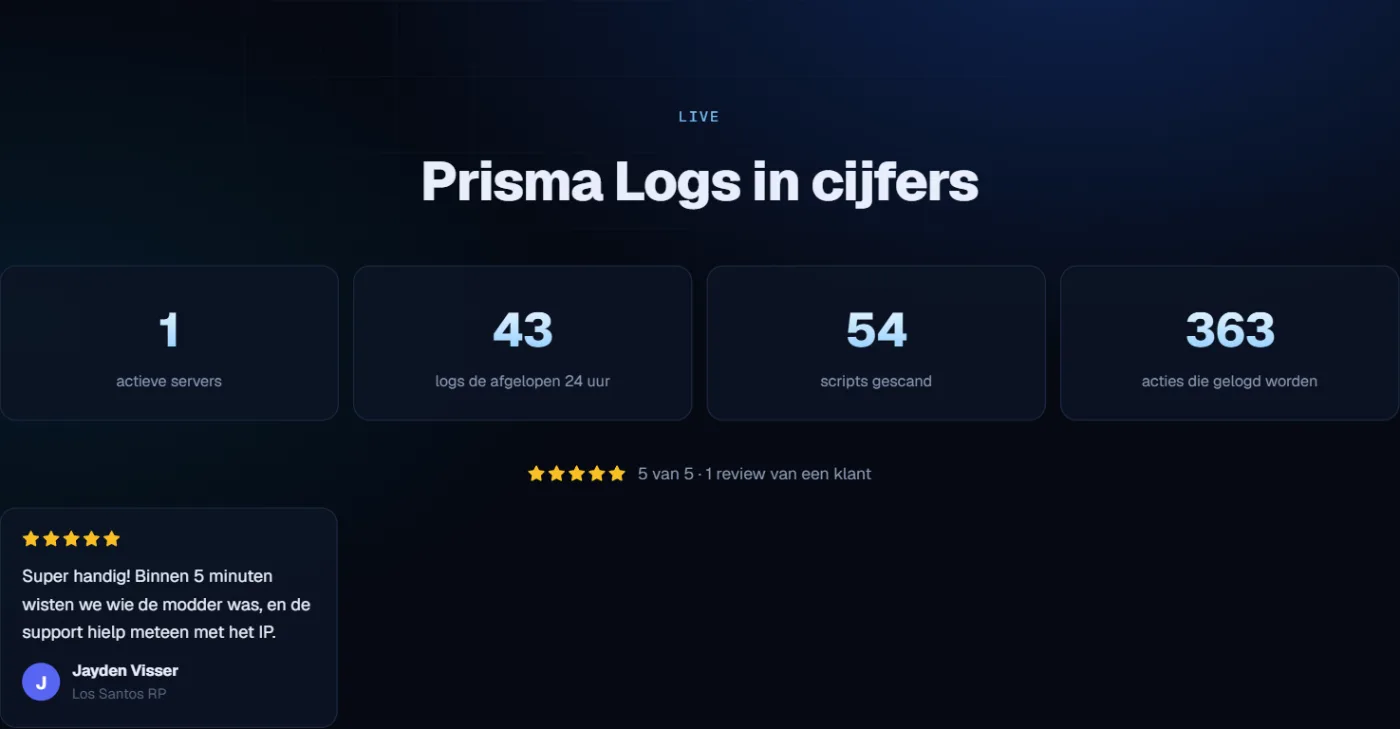
* **Reviews:** rated a ticket 4 or 5 stars? Then you can write a short review right away. After a quick check it is posted in the new ⭐・reviews channel and on the website

You don't need to download the resource again.

<figure><img src="https://prismalogs.com/updates/2.9/assistant-en.webp" alt="New: the Prisma Assistant checks your server and gives the right steps"><figcaption><p>New: the Prisma Assistant checks your server and gives the right steps</p></figcaption></figure>

<figure><img src="https://prismalogs.com/updates/2.9/ticket-en.webp" alt="The automatic answer is also in your ticket on the website"><figcaption><p>The automatic answer is also in your ticket on the website</p></figcaption></figure>

<figure><img src="https://prismalogs.com/updates/2.9/reviews-en.webp" alt="New: write a review after 4 or 5 stars, it goes in ⭐・reviews"><figcaption><p>New: write a review after 4 or 5 stars, it goes in ⭐・reviews</p></figcaption></figure>

<figure><img src="https://prismalogs.com/updates/2.9/homepage-en.webp" alt="Approved reviews are on the homepage too"><figcaption><p>Approved reviews are on the homepage too</p></figcaption></figure>

## New live demo: the real panel · 2.8

*13 October 2026*

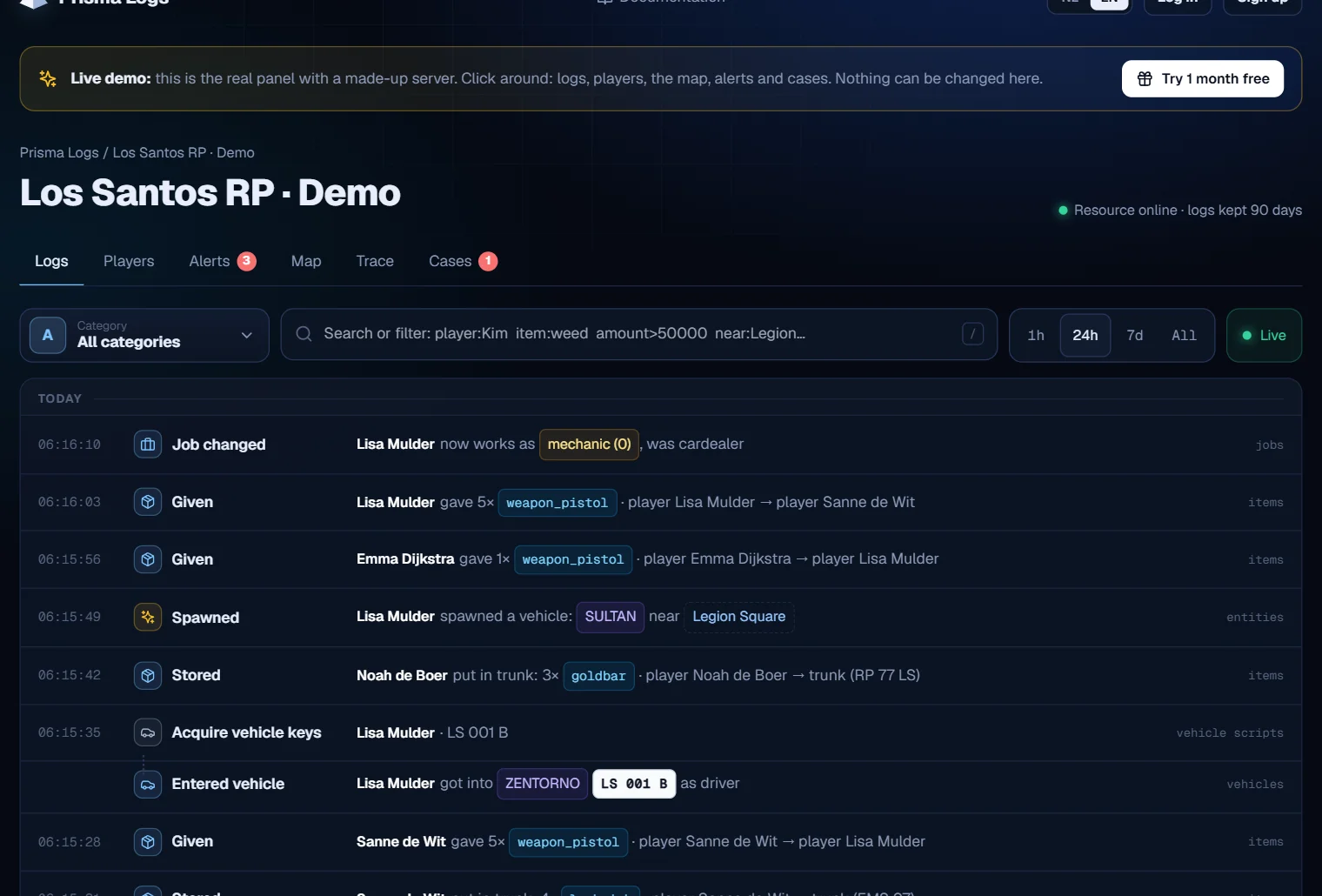
The demo at prismalogs.com/demo is now the real customer panel, with a made-up server:

* **No login needed:** anyone can look around right away in a server with a week of logs
* **Really live:** every few seconds new logs come in from players joining, driving, buying and robbing
* **Everything works:** smart search, player dossiers with play time, the real GTA V map, anti-cheat alerts, the ban list and cases
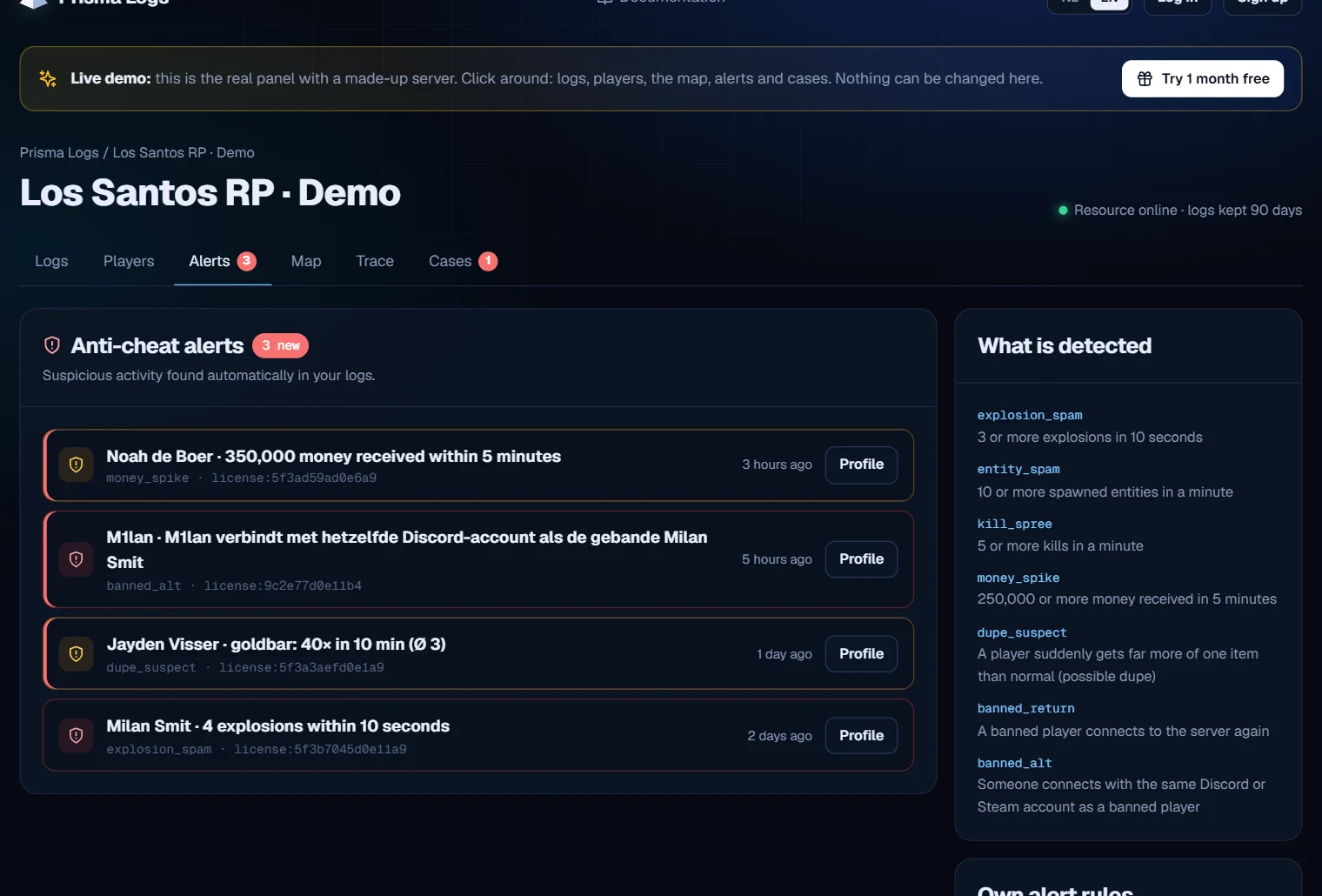
* **With a story:** a player spams explosions, gets banned and comes back on a second account. The anti-cheat catches it

Send prismalogs.com/demo to server owners who want to see how it works.

<figure><img src="https://prismalogs.com/updates/2.8/logs-en.webp" alt="New: the demo is the real panel, with live logs"><figcaption><p>New: the demo is the real panel, with live logs</p></figcaption></figure>

<figure><img src="https://prismalogs.com/updates/2.8/alerts-en.webp" alt="Anti-cheat catches a banned player on a second account"><figcaption><p>Anti-cheat catches a banned player on a second account</p></figcaption></figure>

<figure><img src="https://prismalogs.com/updates/2.8/map-en.webp" alt="Heatmap of the demo server on the real map"><figcaption><p>Heatmap of the demo server on the real map</p></figcaption></figure>

<figure><img src="https://prismalogs.com/updates/2.8/case-en.webp" alt="A case with timeline, players and notes"><figcaption><p>A case with timeline, players and notes</p></figcaption></figure>

## New homepage · 2.7

*13 October 2026*

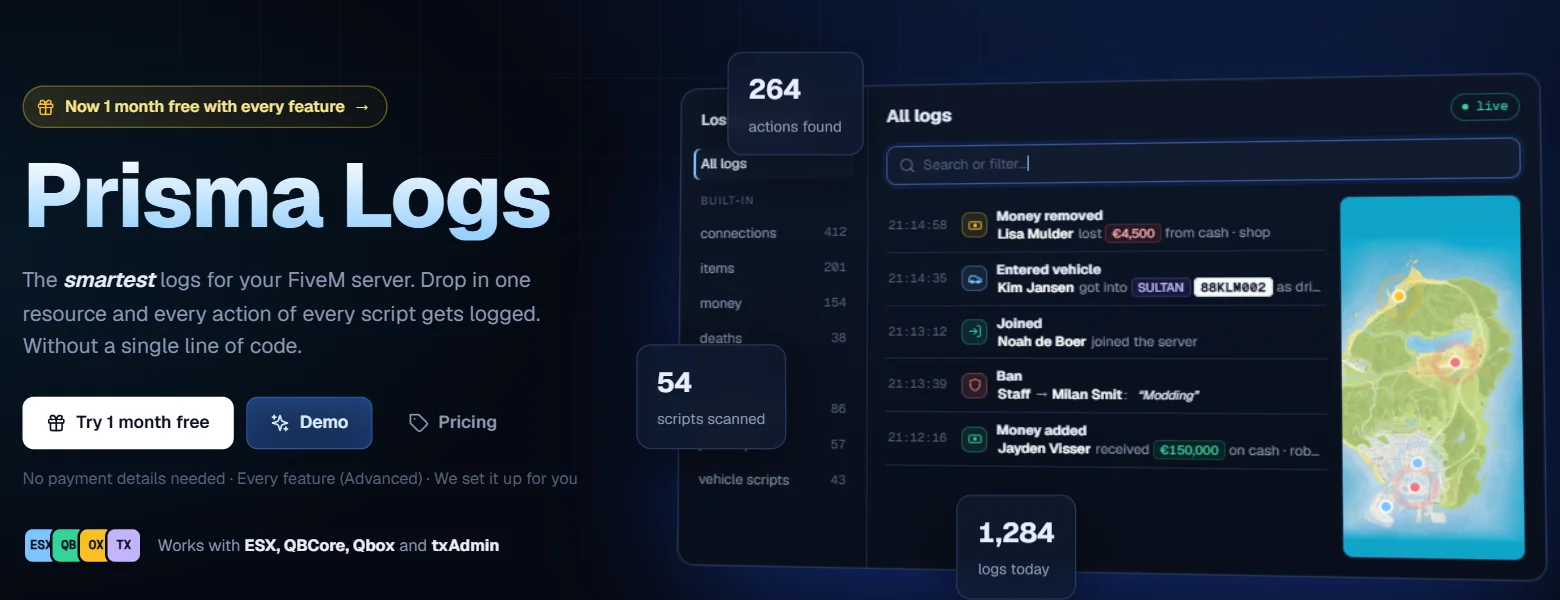
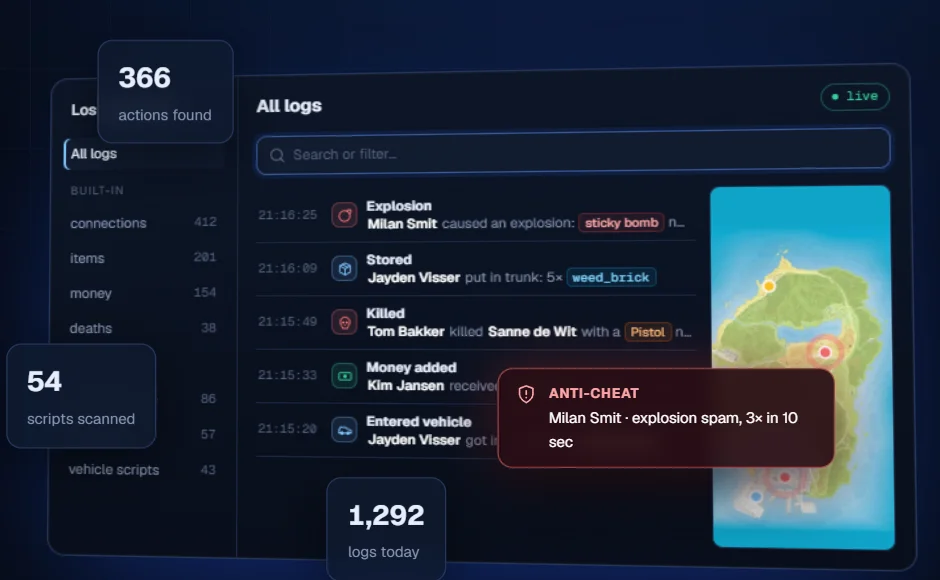
The prismalogs.com homepage now shows how Prisma Logs really works:

* **A server that lives:** logs come in live as clear sentences, with icons and colors for players, vehicles, plates, items and money
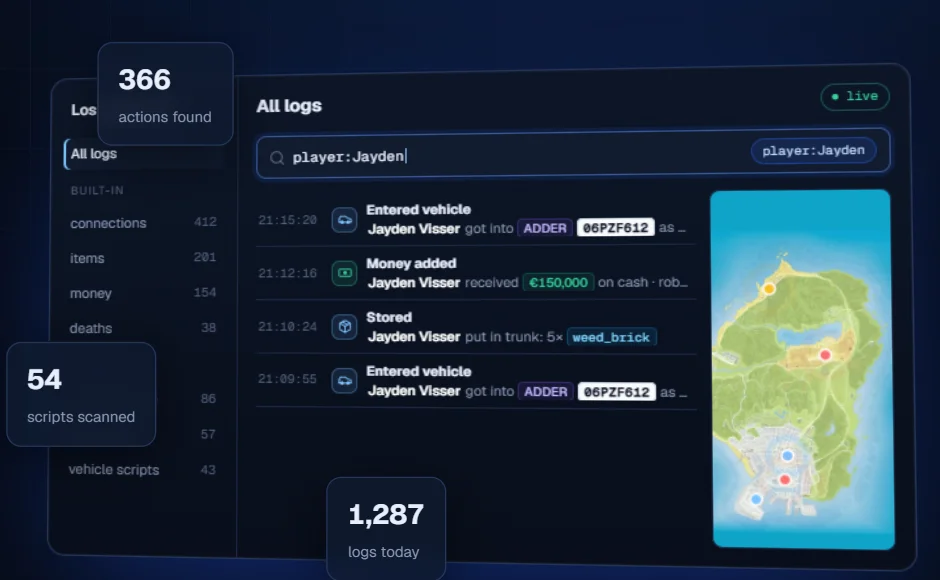
* **Smart search in action:** the search bar types `player:Jayden` or `amount>50000` by itself and the list filters along
* **Real GTA V map:** every action with a location shows up as a ping on the map
* **Anti-cheat:** on explosion spam an alert pops up right away
* **New tiles:** smart search and the real map further down the page too

Take a look at prismalogs.com and share it with other server owners.

<figure><img src="https://prismalogs.com/updates/2.7/hero-en.webp" alt="New: the homepage with a live server"><figcaption><p>New: the homepage with a live server</p></figcaption></figure>

<figure><img src="https://prismalogs.com/updates/2.7/search-en.webp" alt="The search bar types by itself and the list filters along"><figcaption><p>The search bar types by itself and the list filters along</p></figcaption></figure>

<figure><img src="https://prismalogs.com/updates/2.7/alert-en.webp" alt="Anti-cheat alert and pings on the real map"><figcaption><p>Anti-cheat alert and pings on the real map</p></figcaption></figure>

<figure><img src="https://prismalogs.com/updates/2.7/tiles-en.webp" alt="New tiles: smart search and the real map"><figcaption><p>New tiles: smart search and the real map</p></figcaption></figure>

## Real GTA V map · 2.6

*13 October 2026*

The Map in your panel got an upgrade:

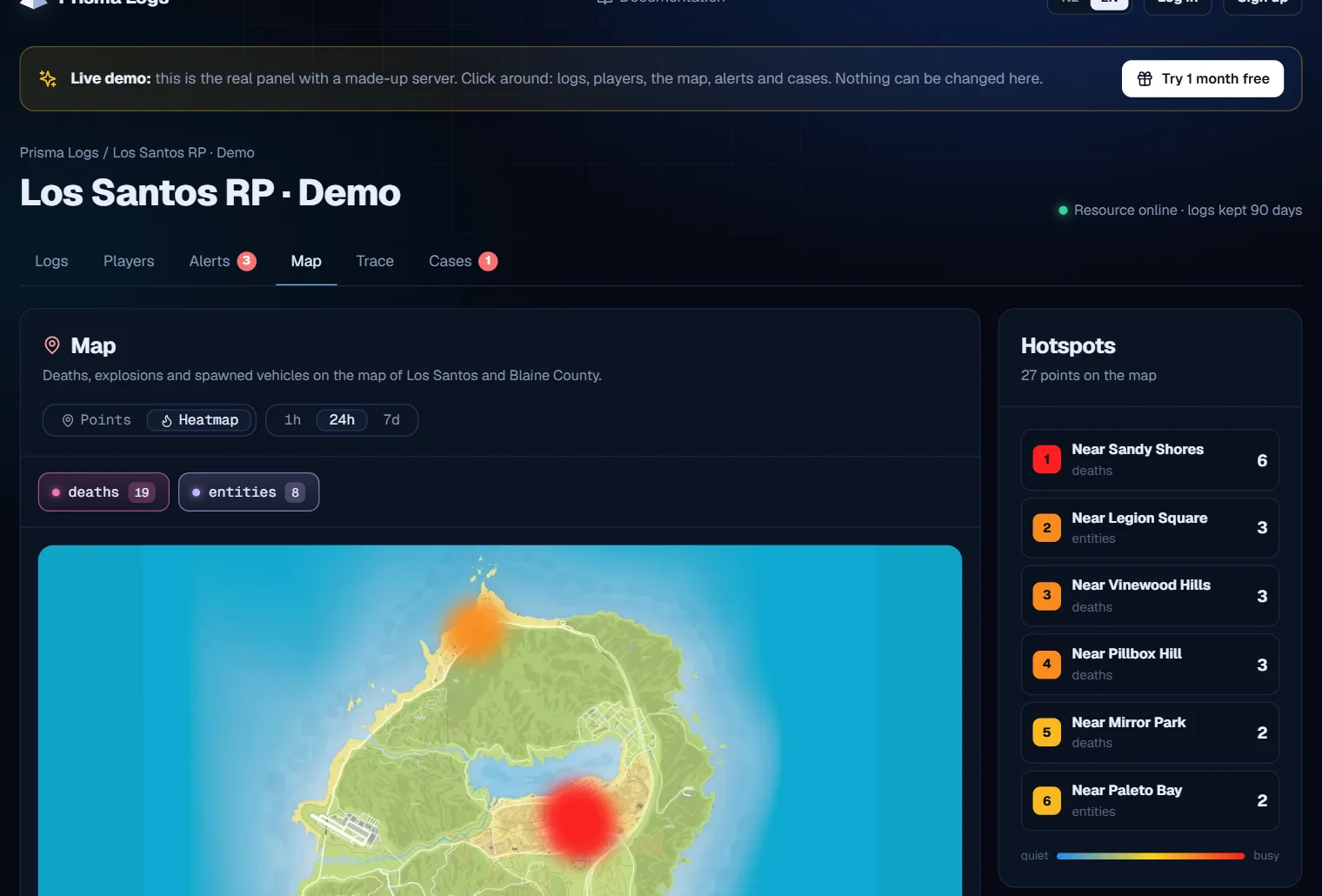
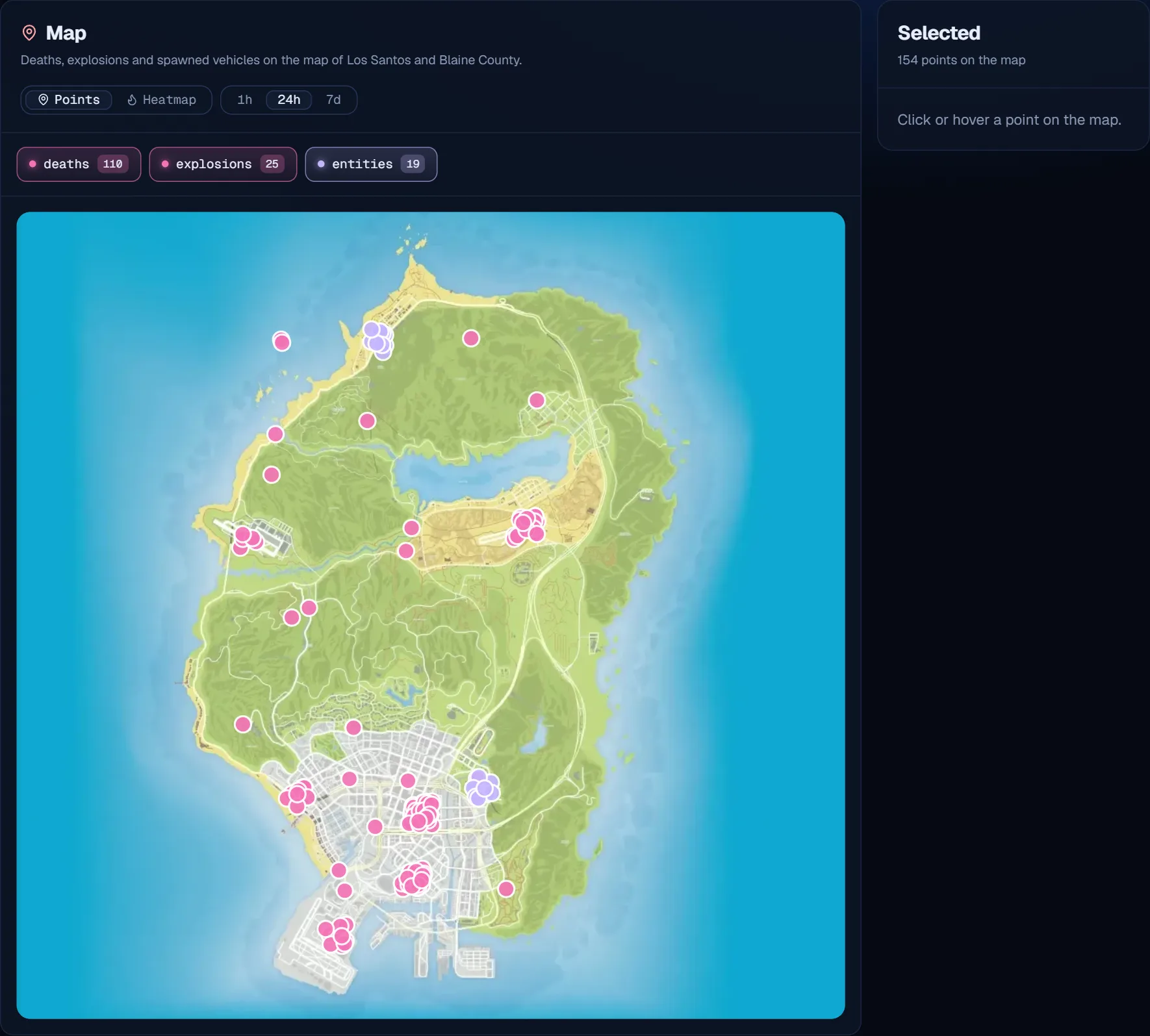
* **Real GTA V map:** deaths, explosions and spawned vehicles are now shown on the real map of Los Santos and Blaine County, with every road, district and mountain. See at a glance where it happened
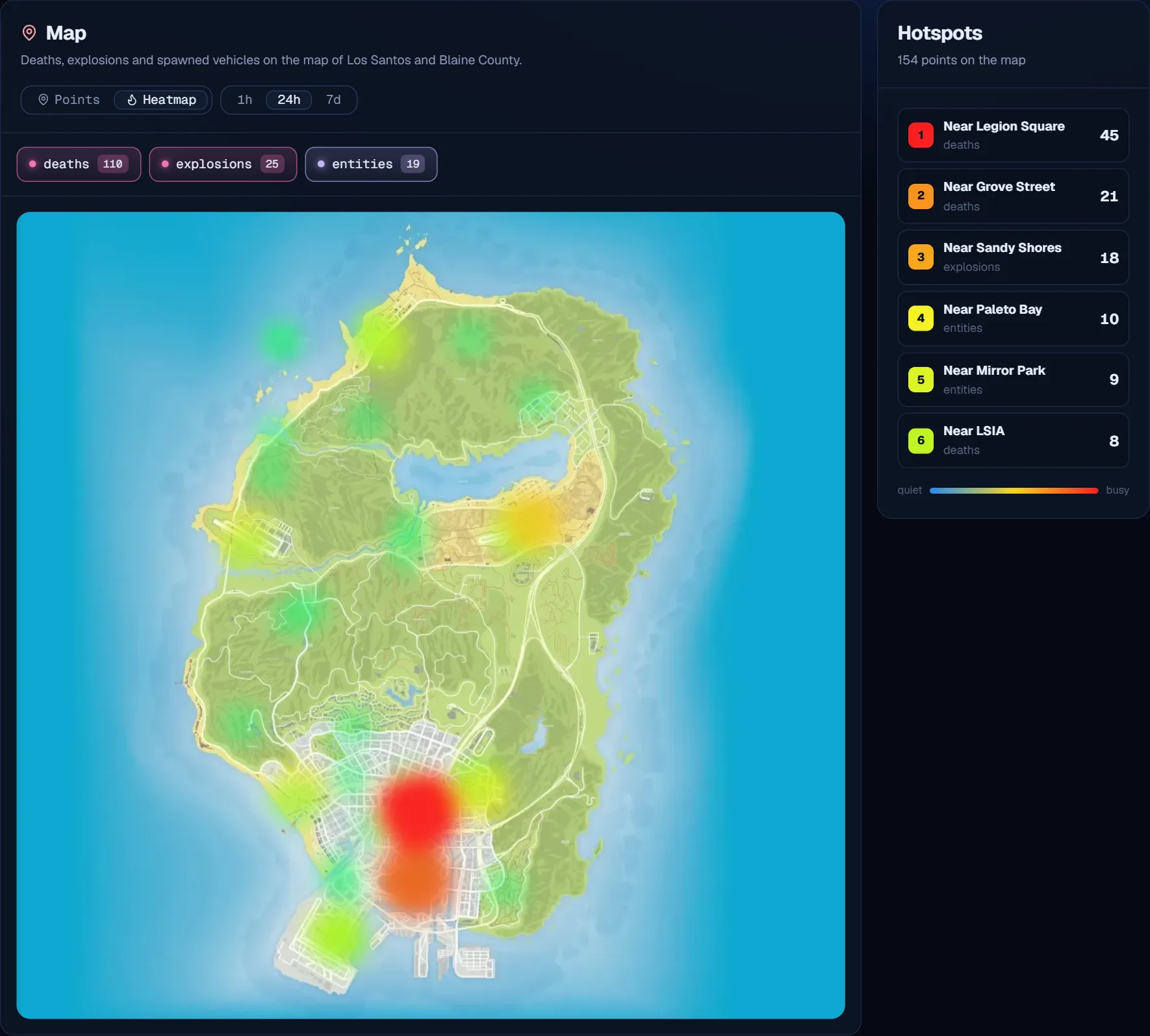
* **Heatmap on the real map:** switch the Map to Heatmap and see the busy spots of your server right away
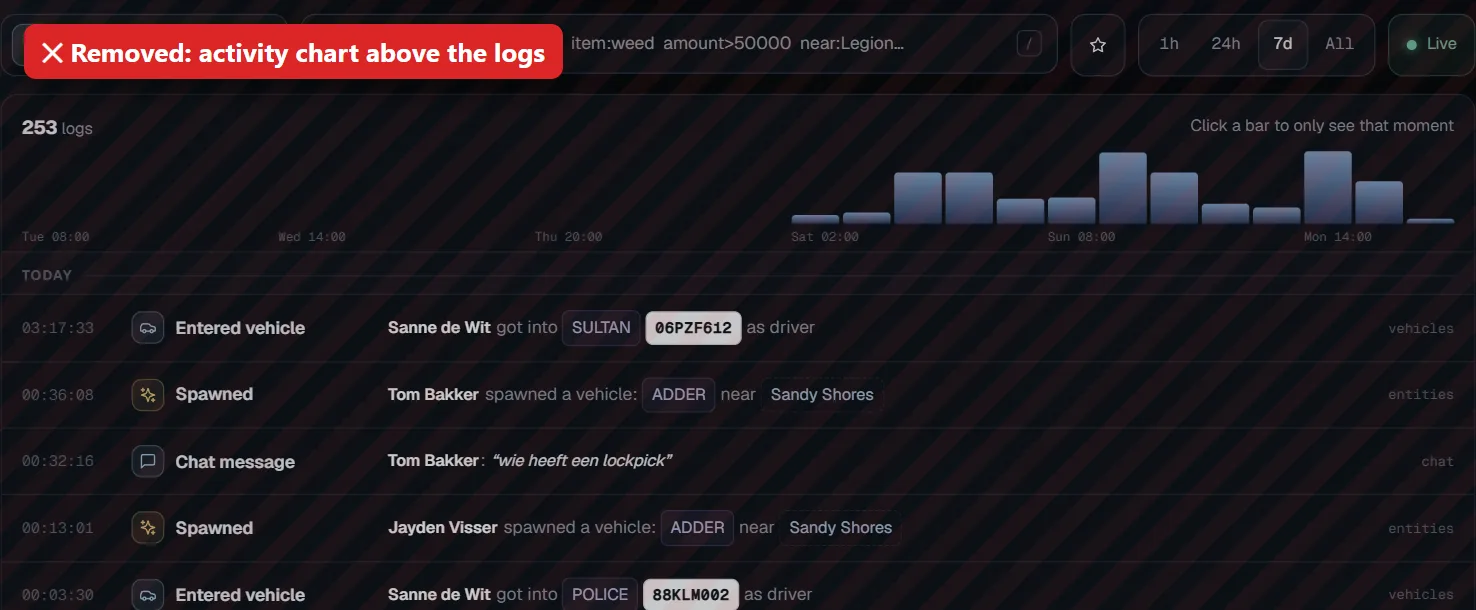
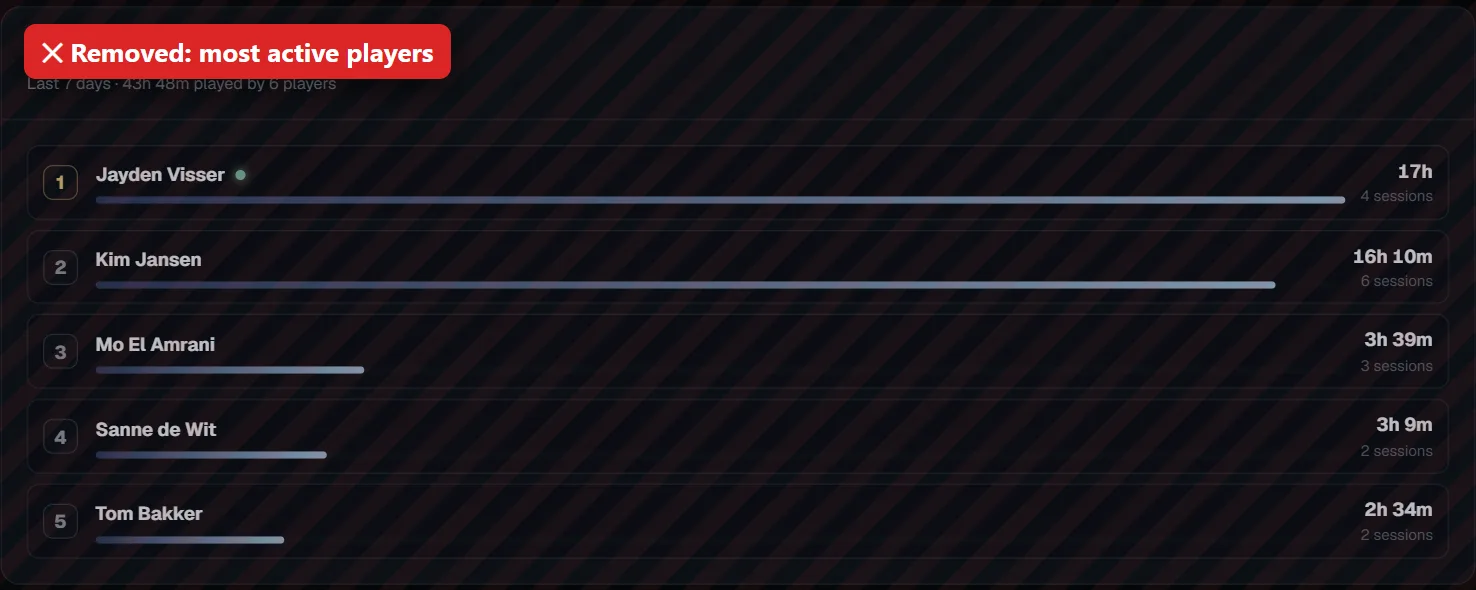
* **Cleaner panel:** the activity chart above the logs and the most active players list are gone, so you get to your logs faster. Play time is still shown per player and in the dossier

No need to download the resource again, everything works right away.

<figure><img src="https://prismalogs.com/updates/2.6/map-en.webp" alt="New: the real GTA V map with your logs on it"><figcaption><p>New: the real GTA V map with your logs on it</p></figcaption></figure>

<figure><img src="https://prismalogs.com/updates/2.6/heatmap-en.webp" alt="New: heatmap with the busiest spots of your server"><figcaption><p>New: heatmap with the busiest spots of your server</p></figcaption></figure>

<figure><img src="https://prismalogs.com/updates/2.6/removed-chart-en.webp" alt="Removed: the activity chart above the logs"><figcaption><p>Removed: the activity chart above the logs</p></figcaption></figure>

<figure><img src="https://prismalogs.com/updates/2.6/removed-top-en.webp" alt="Removed: the most active players list"><figcaption><p>Removed: the most active players list</p></figcaption></figure>

## Smart search and click-to-filter in your logs · 2.5

*13 October 2026*

Searching your logs is now much easier:

* **Smart search:** type for example `player:Jayden amount>50000` or `near:"Legion Square"` and see exactly what you are looking for. `item:`, `plate:`, `vehicle:`, `weapon:` and `event:` work too. Click the search bar for every filter with examples
* **Suggestions while typing:** players, items, plates, vehicles and places are suggested
* **Click to filter:** click a name, plate, item, vehicle or place in a log. For a player you right away see their play time, alerts and ban status, with buttons to the dossier and the evidence pack
* **Activity chart:** above your logs you see how much happened. Click a bar to only see that moment
* **Overview per day:** Today, Yesterday and then per date
* **Export:** put your search result in an Excel file (CSV) with one click

No need to download the resource again, everything works right away.

## Clearer logs · 2.4

*13 October 2026*

Your logs are now much easier to read:

* **Every log is a sentence:** for example "Jayden got into ADDER (06PZF612) as driver" or "Kim killed Tom with a Pistol near Legion Square"
* **Icons and colors:** red for kills, explosions and kicks, green for money added and joins. Vehicles, plates, items, money and weapons each get their own color
* **Names instead of codes:** model numbers become vehicle names, weapon hashes become weapons, coordinates become places and seat -1 becomes driver
* **Logs that belong together:** logs of one player in the same second are grouped, so you see they come from one action
* **New details:** click a log for an overview with clear labels, copy buttons for license and coordinates, and the raw data when you need it

No need to download the resource again, everything works right away.

## Play time, heatmap and smart webhooks · 2.3

*13 October 2026*

New in your panel:

* **Play time:** see how long each player plays, with a chart per day, their sessions and whether they are online now. Under Players you find the most active players of the week
* **Heatmap:** switch the Map to Heatmap and see right away where most things happen. The hotspots are listed on the right, for example "Near Legion Square · 59 deaths"
* **Smart webhooks:** send only the logs you want to an extra Discord channel, like all weapons or money above €50,000. Find it under Settings

No need to download the resource again, everything works right away.

## Search everywhere, cases, ban list and the app · 2.2

*13 October 2026*

New in your panel:

* **Search everywhere:** pick "All categories" under Logs and search through everything at once
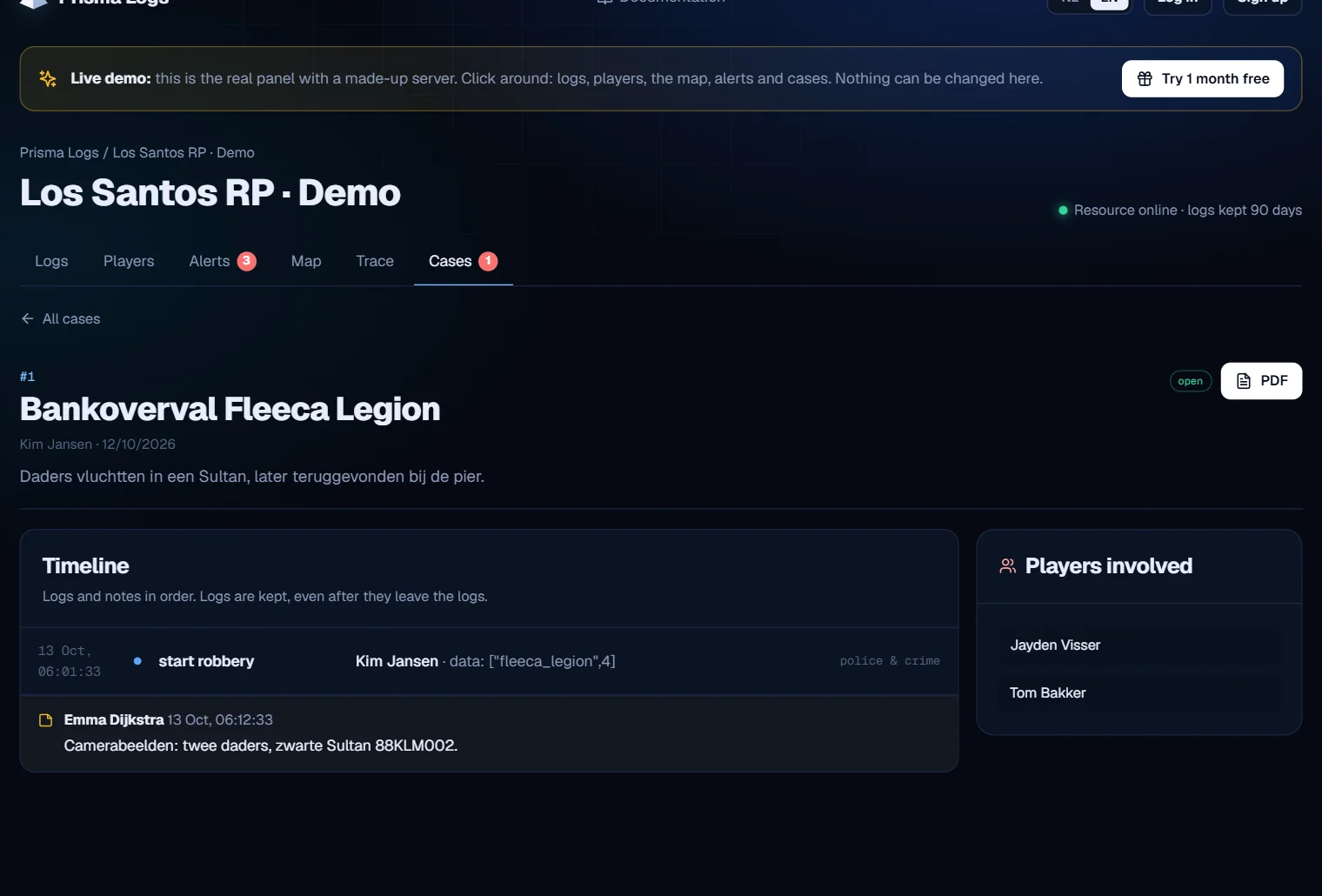
* **Cases:** collect logs, players and notes about one incident in a case and turn it into a PDF. Logs in a case are kept
* **Watch a player:** click 👁 Watch in the dossier and see every action of that player in your Discord and on your phone
* **Ban list:** record bans with a reason. When a banned player comes back, or someone with the same Discord or Steam account, you get an alert
* **Saved searches:** save a search with the ⭐ and open it later with one click
* **App and push notifications:** put Prisma Logs on your phone and get notified about anti-cheat, tickets, an offline server or a watched player. Go to your avatar → Phone notifications

No need to download the resource again, everything works right away.

## Alt accounts, dupe detector and more · 2.1

*13 October 2026*

New in your panel:

* **Possibly the same player:** the dossier shows other accounts that use the same Discord or Steam account
* **Dupe detector:** an alert when someone suddenly gets far more of an item than normal
* **Evidence report:** one click makes a PDF with everything about a player, handy for bans
* **Vehicle history:** search a plate and see who drove it and what is in the trunk
* **Online now:** see at the top of Players who is on your server right now

**Download the new resource (2.1.0)** in your panel under Settings and replace the prisma-logs folder. Your settings stay as they are.

## Version 2.0

**New**

* Script scan: every script on your server is logged automatically, sorted by theme.
* 12 built-in logs, with ESX, QBCore, Qbox, ox\_inventory and txAdmin.
* Trunk, glovebox and stash logs with ox\_inventory.
* Log your own events through `config.lua`.
* New panel: search every field, periods, filter per script, details per log.
* Dutch and English.
* New Discord messages with a color per category.

**Improved**

* Logs are sent in batches and kept when the panel can't be reached for a moment.
* Old logs are cleaned up automatically per plan.
* Better security of the panel.

{% hint style="info" %}
To update: download the resource again under **Settings → Download resource**, replace the `prisma-logs` folder and restart your server.
{% endhint %}


---

# Agent Instructions
This documentation is published with GitBook. GitBook is the documentation platform designed so that both humans and AI agents can read, navigate, and reason over technical content effectively. Learn more at gitbook.com.

## Querying This Documentation
If you need additional information that is not directly available in this page, you can query the documentation by asking a question.

Perform an HTTP GET request on the following URL with the `ask` and `goal` query parameters:

```
GET https://prisma-logs.gitbook.io/prisma-logs/docs/en/help/changelog.md?ask=<question>&goal=<user_goal>
```

`ask` is the immediate question: it should be specific, self-contained, and written in natural language.
`goal` is what the user is ultimately trying to achieve, the reason they need the answer. Sharing it helps GitBook give you a better, more relevant answer. A goal is most helpful when it describes the outcome the user wants rather than restating the question. For example, with `ask=how do I create an API token`, a goal like `automate deployments from our CI pipeline` lets GitBook tailor the answer to that use case.

The response will contain a direct answer to the question and relevant excerpts and sources from the documentation.

Use this mechanism when the answer is not explicitly present in the current page, you need clarification or additional context, or you want to retrieve related documentation sections.